This is part of our Guide to Comparing AI in Qualitative Software | Take Our Free Online Qualitative Data Analysis Course | Start a Free Trial of Delve
Thematic analysis is iterative. You read transcripts, code, group, test, and revise ideas in a back-and-forth dance between your data and your evolving interpretation. That’s what makes it powerful, and what makes it hard to hand off to AI.
The temptation is to dump transcripts into ChatGPT and call it done. But that “dump and done” approach produces thin topic summaries, weak themes, and results that sound convincing even when they’re wrong. Thematic analysis requires human judgment that no chatbot replaces.

The harder question is what happens between those two extremes. Most researchers know AI can help somehow, but the iterative nature of thematic analysis makes it genuinely unclear where it fits in. When your grasp of the data keeps shifting — when codes split, merge, and redefine themselves across rounds of analysis — how do you bring in a tool that has no memory of where you’ve been?
We think the answer is to stick with the basics. Braun and Clarke’s six-phase framework already gives you the structure to move between data and interpretation without losing your footing. Follow those steps, stay in charge of the analytical decisions, and AI is a powerful assistant rather than a black box generating answers you can’t defend.
This guide walks through each phase, showing exactly how AI supports thematic analysis and where you need to stay in the driver’s seat.
Step-by-step guide: Using AI for thematic analysis (the right way)
These steps are numbered, but you’ll build themes in cycles. Click any step to jump ahead:
Remember, you’ll loop back and forth as your understanding deepens and new questions come up.
1. Get familiar with your data through conversations with AI
Familiarization means repeated reading, notes, and letting ideas flow. You can’t skip this part, but researcher David Morgan found you can move through it faster using “query-based analysis.” This conversational approach to exploring your data is a natural fit for the reflexive style Braun and Clarke’s framework demands. It also builds the sharp familiarity you need to catch AI errors.
Start by uploading your transcripts
Upload your transcripts into Delve, then open a transcript and use the AI chat feature on the transcript page to start asking questions using Morgan’s query-based approach. At this stage you’re working one transcript at a time, with the AI reading the full document alongside you.

Ask AI questions
This is Morgan’s three-step process begins:
- Ask broad, undirected queries: “What were the key topics in this document?”
- Follow up with more specific queries: “Tell me about the [participants’] perceptions of [topic]”
- Examine the supporting data: Verify quotes against original transcripts
Morgan found query-based analysis took about 2 hours compared to 23 hours for manual coding. But he stresses that speed only matters if you’re learning your data well enough to catch AI errors.
Ask follow up questions
Once you have a lay of the land, ask probing questions to learn more:
- “Tell me more about how [topic] affected [outcome]”
- “Give me a list that tells me more about how [topic] affected [outcome]”
- “Are there any tensions or contradictions in how [topic] was discussed?”
Remember to start more general, then dig into what catches your attention.
Verify against the source
AI will confidently tell you things that aren’t there, so check the actual transcript after each response. Delve links citations directly to the source to make that easy, but your own familiarity with the data is still your best defense against hallucinations.

2. Generate initial codes (with AI as a starting point)
After familiarizing yourself with your data, open your codebook in Delve and add the codes you’re already thinking about. Those initial instincts give you something to build from. AI can help build on that and pass it back to you. Not by coding for you, but by giving you ideas to react to.

Let AI suggest codes
If you give AI your entire dataset or vague questions and ask it to suggest codes, you’ll get generic codes and overly broad answers. Start small with a narrow scope on individual transcripts that relates to your initial codes. In Delve, you can focus on just one transcript or excerpt at a time, and ask questions like:
- “What codes would you suggest for this excerpt?”
- “What concepts or patterns do you notice here?”
The back-and-forth matters more than the suggestions themselves. The AI chat will generate codes to react to. Your job is to push back, question, and use memos to track your decisions. As Cook et al. put it: “Not only must there be a ‘human in the loop’, the human must be in charge of the loop.”
3. Apply codes across your transcripts
Once you have defined your codes, Delve’s AI coding assistant can run your codebook deductively against all your transcripts.
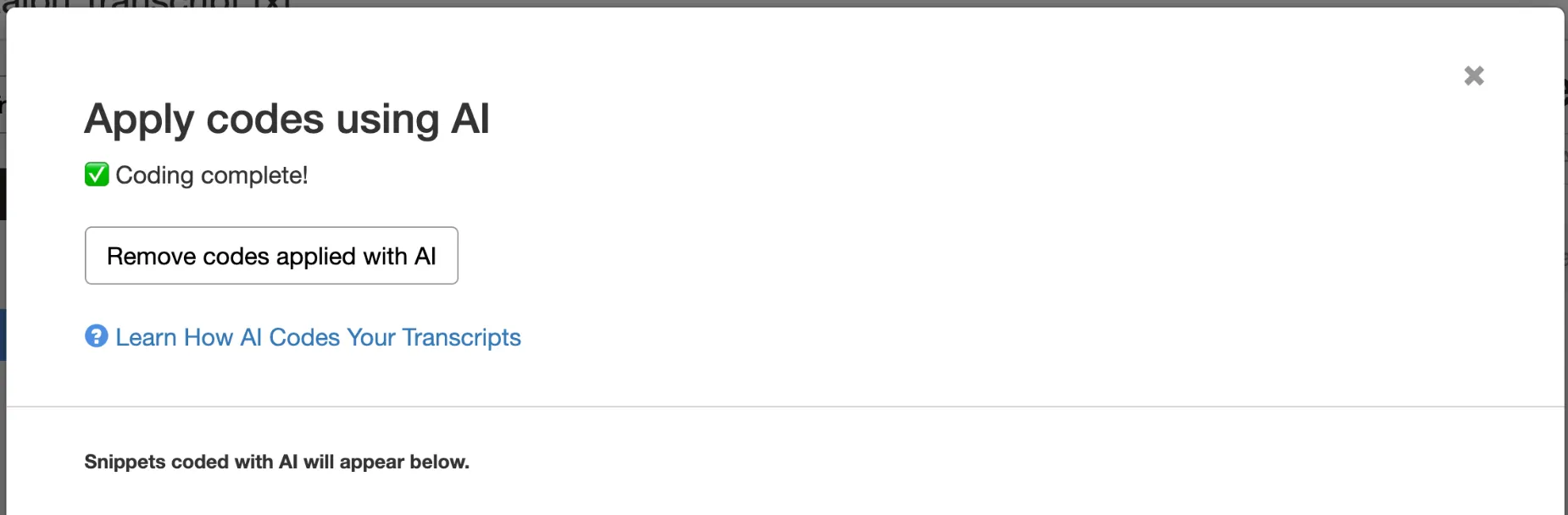
How Delve applies your codebook
Ask Delve’s “Apply Codes with AI” features to find quotes that match your codebook. It scans your transcripts and for excerpts that fit your codes and applies those codes. Think of it like having a research assistant who’s fast but needs oversight. You can also remove AI codes if they no longer fit.
Keep verifying every suggestion
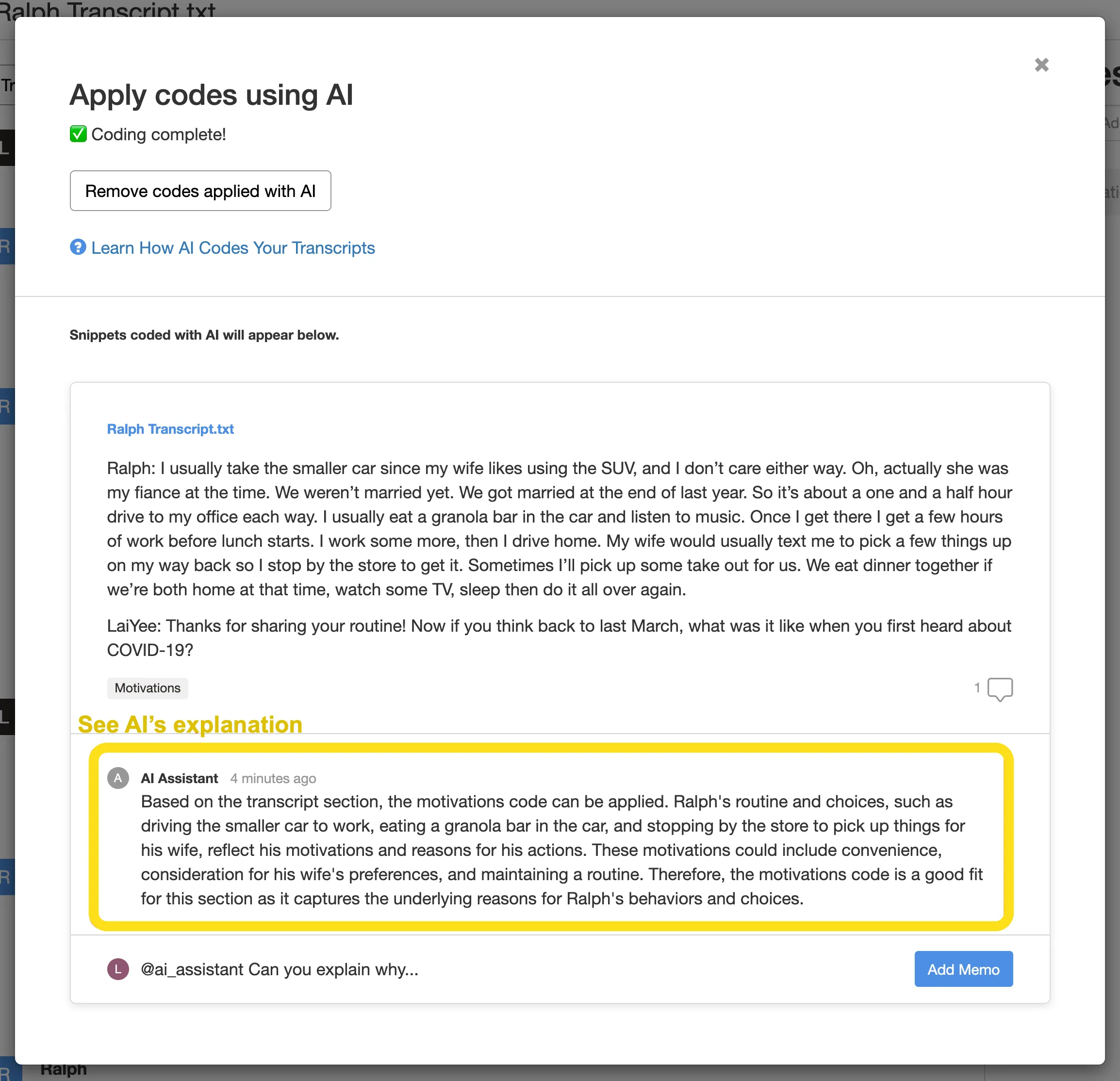
AI will overlook nuance, miss edge cases and minority viewpoints, and skip patterns that don’t appear enough to register. When Delve’s AI suggests a code, ask: does this fit my definition, is the context right, and would I have coded this? You need a yes on all three.
Each coded snippet includes a memo explaining why the AI applied that code. If the reasoning doesn’t hold up, you can ask AI to explain further. Always push back when the reasoning doesn’t hold up.
4. Cluster codes into themes
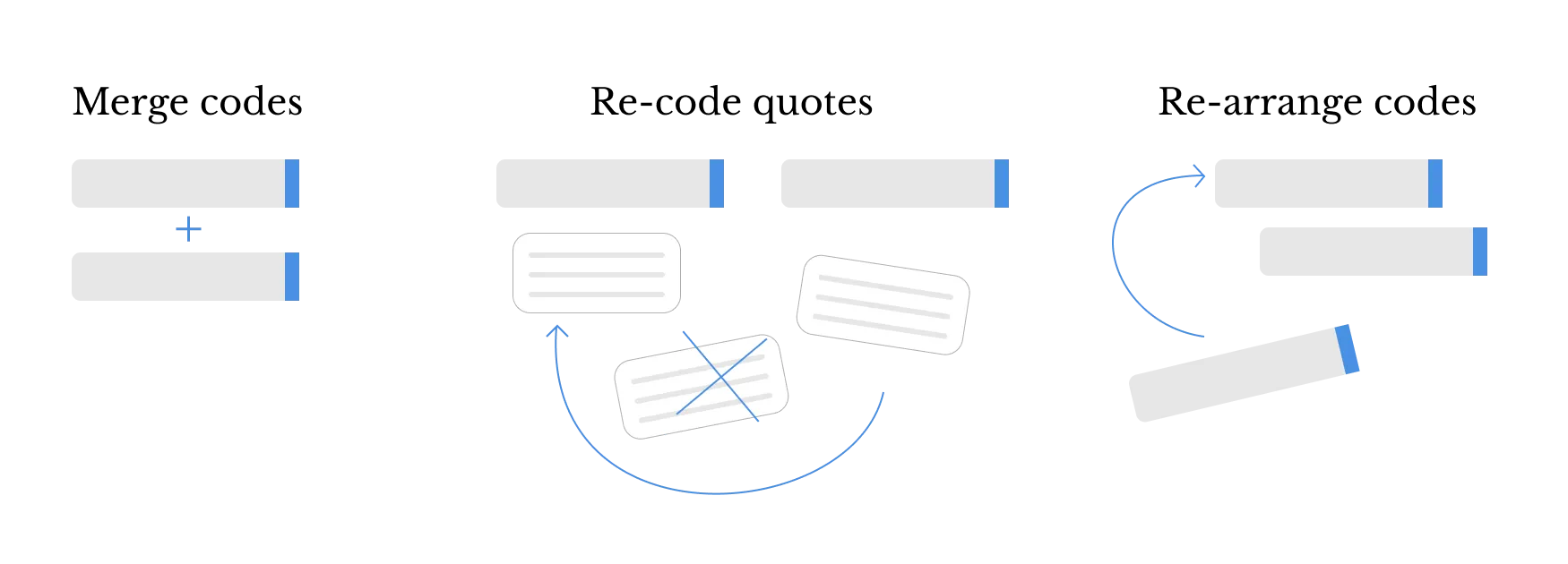
You’ll notice bigger patterns when you apply codes across your transcripts. Some codes cluster together or end up merging into one. Others feel too broad and need breaking down. You may still loop back to earlier steps, but the questions and focus gets more interpretive from here.
Up until now AI chat has worked on raw transcripts and your codebook as a guidepost. Now Delve’s AI Chat helps you zoom out to work from the snippets you’ve coded instead. You can focus on one or more codes, transcripts, or both to ask bigger questions about what you already decided is important.
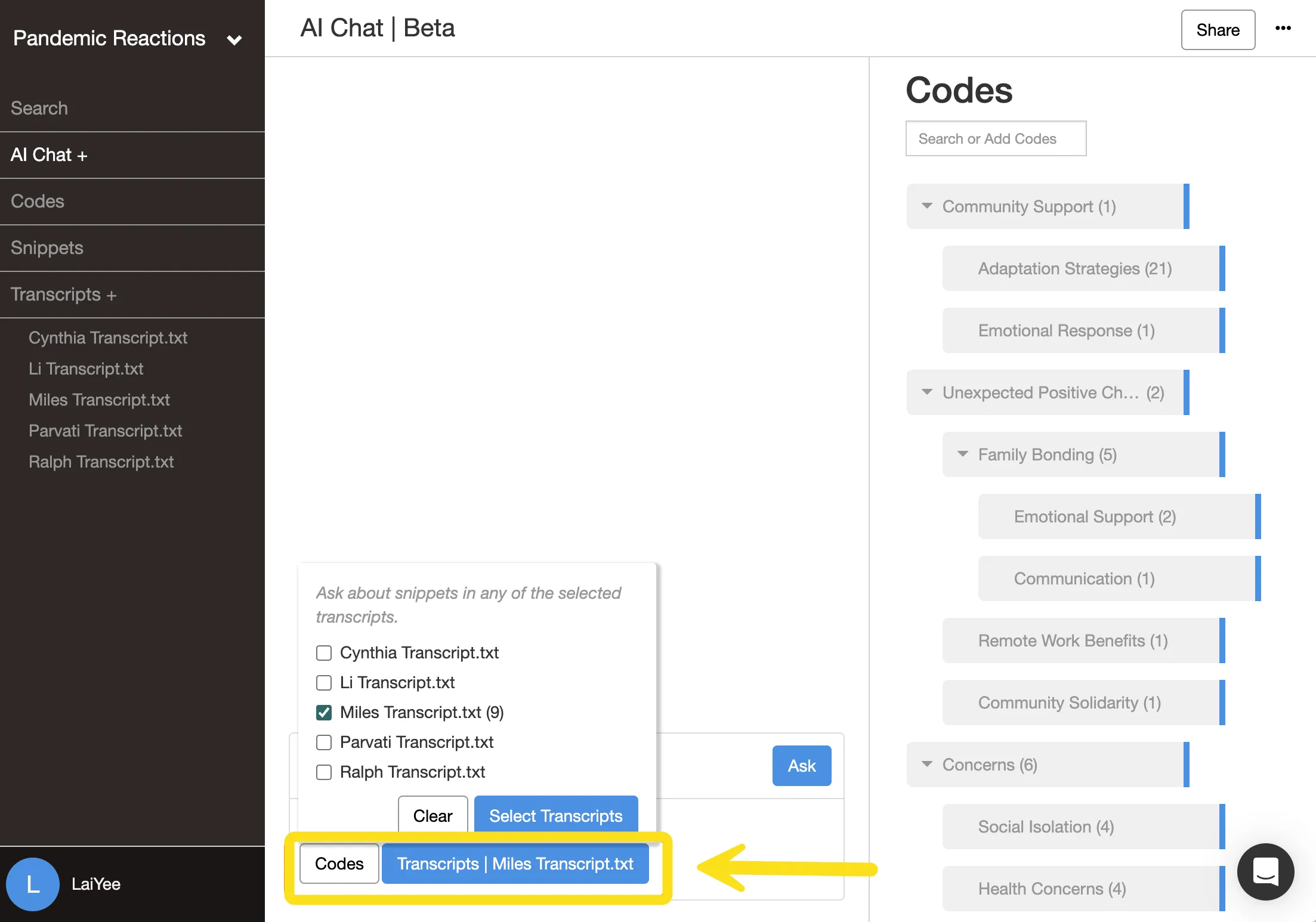
Explore relationships between codes
Delve lets you select specific codes to analyze together, then talk over what patterns the AI notices or if anything else stands out. When you’re zooming out to see relationships (or blindspots) across codes, try:
- “What patterns do you see across these codes?”
- “How might these codes relate to each other?”
- “Are there any themes or clusters emerging?”
Break broad codes into subcodes
When a code feels too general, give Delve’s AI Chat just those specific excerpts to analyze:
- “What different ideas does this code capture?”
- “How do these excerpts vary within this code?”
- “What sub-patterns exist here?”
Whether zooming in or out on your data, remember you need to stay in charge of the loop. You’re the one who decides if those connections are meaningful enough for your analysis.
5. Testing and refining your themes
Your themes are taking shape, but do they hold up? Delve’s AI can help you pressure-test them in two different ways. First you check whether your coded snippets actually hold together under each theme. Then you ask bigger interpretive questions about whether the themes themselves hold up to your data.
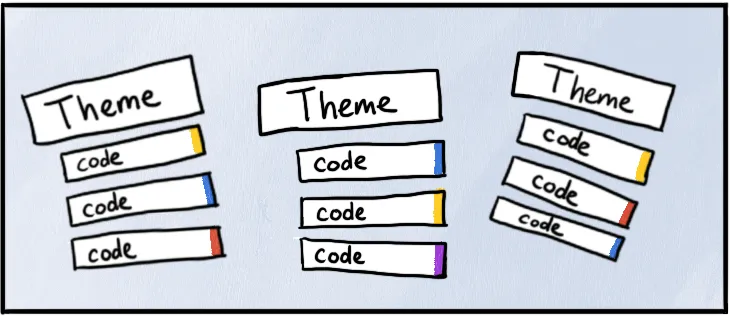
Test your excerpts against your theme codes
In the AI Chat, filter by a code. You’re asking whether snippets actually belong together underneath that theme:
- “Do these excerpts all relate to the same idea?”
- “Are there any that feel out of place?”
- “What’s the common thread across these passages?”
This is where loose coding decisions catch up with you. The AI assistant spots the inconsistencies then you decide what to do with them.
Test and challenge themes with synthetic member checking
Traditional member checking means presenting findings to participants to verify they capture their experiences. After reinforcing your codes are in order, you can ask similar questions by asking it to speak in the participant’s voice:
- “How would [participant name] interpret these codes?”
- “Would they agree or disagree?”
You’re looking for friction and holes, not confirmation of what you already know. Delve’s AI responses help you see whether your theme boundaries make sense, and you decide whether the story checks out.
Check if themes are distinct from each other
Overlapping themes is a main challenge in thematic analysis. AI can help you work through it by comparing themes one to one. Ask what makes two themes different, where they overlap, or whether specific excerpts belong in one versus another. You’re still sharpening your boundaries and analysis.
Keep verifying with source data
By now, verifying AI results should be second nature. But it’s also what separates confident findings from ones you can’t truly defend. This is a good time to step back from AI and read your data with fresh eyes before you commit to anything. Insights that hold up under scrutiny are worth writing about next.
6. Writing your final narrative
After testing and refining your themes, you’re ready to write. You’re building the narrative arc that explains what each theme means, how they relate to each other, and what your findings reveal about your research question. Your deeper interpretive work from earlier takes center stage.

Use Delve’s AI to draft theme descriptions
Delve’s AI can help you articulate what you’re seeing:
- “Based on these excerpts, what does this theme reveal about [topic]?”
- “How would you describe the pattern these codes represent?”
- “What story do these excerpts tell together?”
AI drafts can jumpstart your writing, but they’re starting points. You need to rewrite them to construct actual meaning in your data. You also risk losing trust with your readers as many researchers and professors can pick out AI-written text at this point, particularly when they know the subject well.
Find supporting quotes
Need quotes that illustrate specific aspects of a theme? Ask Delve’s AI:
- “Which excerpts best illustrate [specific pattern]?”
- “Show me examples where participants express [concept] directly”
- “Find quotes that demonstrate the tension between [idea A] and [idea B]”
Finding quotes in Delve is faster than manually searching through all your coded excerpts. But always verify the quotes AI suggests actually say what you think they say.
Check your final narrative
Once you’ve drafted sections, ask Delve’s AI concluding questions:
- “Does this explanation make sense?”
- “Are there any gaps in this argument?”
- “What evidence might strengthen this claim?”
These prompts can reveal places where your narrative needs more support or clearer logic. You make the final call based on everything you learned along the way.
The complete six-step workflow
Here’s how Delve’s AI ends up supporting your thematic analysis:
| Step | What you do | What AI does |
|---|---|---|
| 1. Familiarize | Read transcripts, note impressions | Summaries to orient, not replace reading |
| 2. Create codes | Label concepts and patterns | Brainstorm suggestions to evaluate |
| 3. Apply codes | Apply codebook across transcripts, verify codes AI applied | Apply codebook across transcripts for you to review |
| 4. Group into themes | Dive deep within codes, zoom out across codes | Explore within codes, find relationships |
| 5. Review themes | Verify themes against data | Synthetic member checking, quality control |
| 6. Write narrative | Explain themes with quotes | Find representative quotes |
Do more thorough thematic analysis with Delve AI
Thematic analysis means you’re revisiting transcripts with new questions, refining code definitions and reapplying them, testing themes against your data multiple times. That only works if your AI research sidekick has the context it needs.
Delve’s AI is built for this. Your transcripts, codebook, and coding decisions stay in context as you work. When you update a code definition, the AI factors that in. Suggestions link to source text for you to check. The analytical thread stays intact, and you can remove any (or all) AI codes you don’t like.
The goal of using AI isn’t just to speed things up and automate the hard thinking. It’s about freeing you up to do that deep work that makes thematic analysis so valuable in the first place.
Ready to try this AI-assisted approach with your own data? Start your free 14-day trial.

Frequently asked questions
Can AI help with all six phases of thematic analysis? AI can assist at every phase, but its role shifts as you move through them. During familiarization it can help you generate initial impressions. During coding it can suggest codes or apply an existing codebook. During theme development it can help you look for patterns across codes. What AI can’t do is make interpretive judgments about what themes mean or how they connect to your research question. Those decisions stay with you throughout.
How do I stop AI from biasing my analysis? Two practical steps help. First, do your own initial read and generate first impressions before asking AI for anything. Your early instincts are part of the analysis. Second, treat every AI output as a hypothesis, not a conclusion. Check each suggestion against the transcript before accepting it. Writing reflexive memos throughout helps you track where your thinking came from versus where AI prompted you.
What’s the difference between using Delve’s AI and using ChatGPT for thematic analysis? ChatGPT doesn’t retain your codebook between conversations. Every new session starts from scratch, which breaks the iterative nature of thematic analysis where your understanding evolves across multiple reads. Delve’s AI works within your project, with your codes, descriptions, and memos already in context. You can also remove any AI suggestions without losing your manual coding. The guide to building and applying a codebook with AI covers that comparison in detail.
How many transcripts can AI realistically process at once? General AI tools like ChatGPT hit context limits quickly, often within a few thousand words. Purpose-built tools handle larger volumes but still work transcript by transcript to preserve analytical depth. For thematic analysis, iterating through transcripts individually and comparing as you go is the right approach regardless of tool, so that constraint actually aligns with good methodology.
Do I need to disclose AI use in my methods section? Yes. Most methodology sections now include a description of analytical tools used. Be specific: describe what AI did (applied codes, suggested initial categories) and what you did (reviewed every suggestion, made all interpretive decisions, revised the codebook). That transparency is standard in qualitative research and lets reviewers evaluate your methods. The step-by-step AI thematic analysis guide includes language you can adapt for your methods section.
References
- Braun, V., & Clarke, V. (2006). Using thematic analysis in psychology. Qualitative Research in Psychology, 3(2), 77-101. https://doi.org/10.1191/1478088706qp063oa
- Braun, V., & Clarke, V. (2022). Thematic analysis: A practical guide. SAGE Publications.
- Cook, D. A., Ginsburg, S., Sawatsky, A. P., Kuper, A., & D’Angelo, J. D. (2025). Artificial intelligence to support qualitative data analysis: Promises, approaches, pitfalls. Academic Medicine, 100(10), 1134-1149. https://pubmed.ncbi.nlm.nih.gov/40560241/
- Morgan, D. L. (2023). Exploring the use of artificial intelligence for qualitative data analysis: The case of ChatGPT. International Journal of Qualitative Methods, 22. https://doi.org/10.1177/16094069231211248
- Morgan, D. L. (2025). Query-based analysis: A strategy for analyzing qualitative data using ChatGPT. Qualitative Health Research. https://doi.org/10.1177/10497323251321712
- Naeem, M., Smith, T., & Thomas, L. (2025). Thematic analysis and artificial intelligence: A step-by-step process for using ChatGPT in thematic analysis. International Journal of Qualitative Methods, 24, 1-18. https://doi.org/10.1177/16094069251333886
- Nguyen-Trung, K. (2025). ChatGPT in thematic analysis: Can AI become a research assistant in qualitative research? Quality & Quantity. https://doi.org/10.1007/s11135-025-02165-z
- Wachinger, J., Bärnighausen, K., Schäfer, L. N., Scott, K., & McMahon, S. A. (2025). Prompts, pearls, imperfections: Comparing ChatGPT and a human researcher in qualitative data analysis. Qualitative Health Research, 35(9), 951-966. https://doi.org/10.1177/10497323241244669
Cite this article
Limpaecher, A. (2026, Feb 10). How to Use AI for Thematic Analysis: A Step-by-Step Guide. https://delvetool.com/blog/how-to-use-ai-for-thematic-analysis-step-by-step-guide