This is part of our Ultimate Guide to Qualitative Software | Start a Free Trial of Delve | Take Our Free Online Qualitative Data Analysis Course
If you’ve used AI in qualitative analysis, you’ve probably caught it getting things wrong. A quote credited to the wrong participant. A quote that does not exist. A response drawing from the wrong set of transcripts. The answers probably even look and sound right until you check them against the data.

This guide covers why that happens and what you can do about it. These ideas draw from what researchers and our own team have learned working with AI-assisted qualitative analysis.
AI still struggles with “I don’t know”
AI is built to complete requests, which makes it useful for coding, summarizing transcripts, and applying codebooks to large amounts of data. But when evidence is thin or a question is complex, it responds with an answer rather than saying it doesn’t know. Researchers call this hallucination.
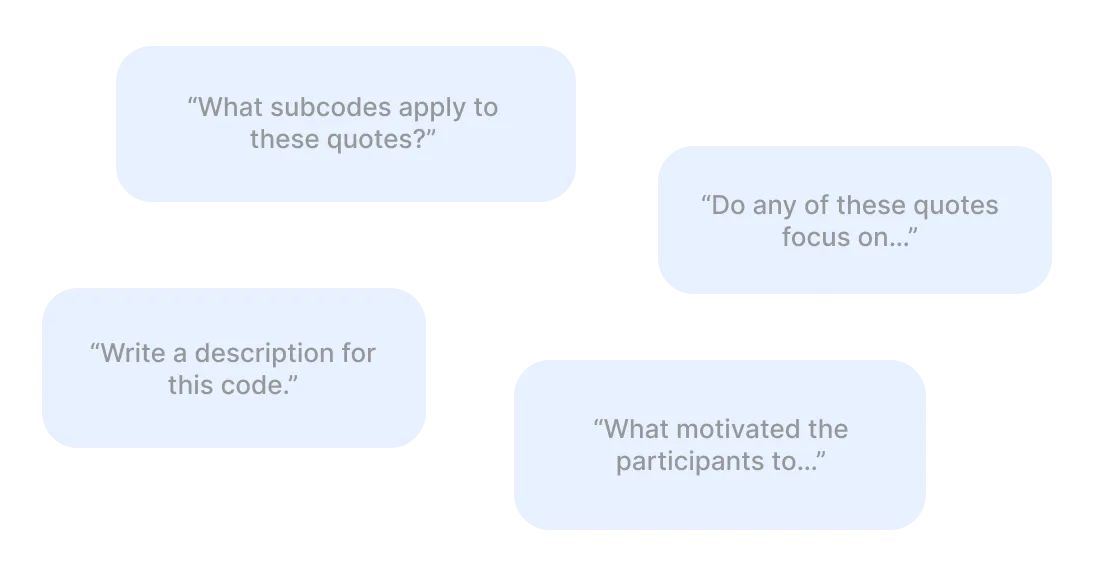
In qualitative research hallucinations shows up as:
-
A quote gets attributed to the wrong participant or the wrong group.
-
AI compares two groups even when one side doesn’t have enough evidence to support it.
-
A response describes what participants said without getting at what it means.
-
AI answers from earlier context in the thread even after you’ve moved to a new question.
These issues aren’t specific to any one AI tool or qualitative coding software. It’s how the underlying technology works as of now, and it’s worth understanding before you use AI in your work. The strategies below won’t ask you to use AI less. They ask you to set it up in ways that leave less room for error.
1. Ask questions in stages
AI doesn’t handle complex, multi-part questions particularly well. Asking it to compare how two distinct groups talked about a topic, in one prompt across a large dataset, combines a lot of moving parts. The model fills in the gaps to complete the request in its own steps, and that’s where errors show up.
Try working in stages instead. Start by asking what themes or patterns appear in your data at first glance. Once you have that foundation, go deeper on a specific theme. If you want a comparison between groups, ask about each group separately before contrasting them. When AI builds toward the hard question instead of opening with it, the results tend to stay more grounded in what your data really contains.
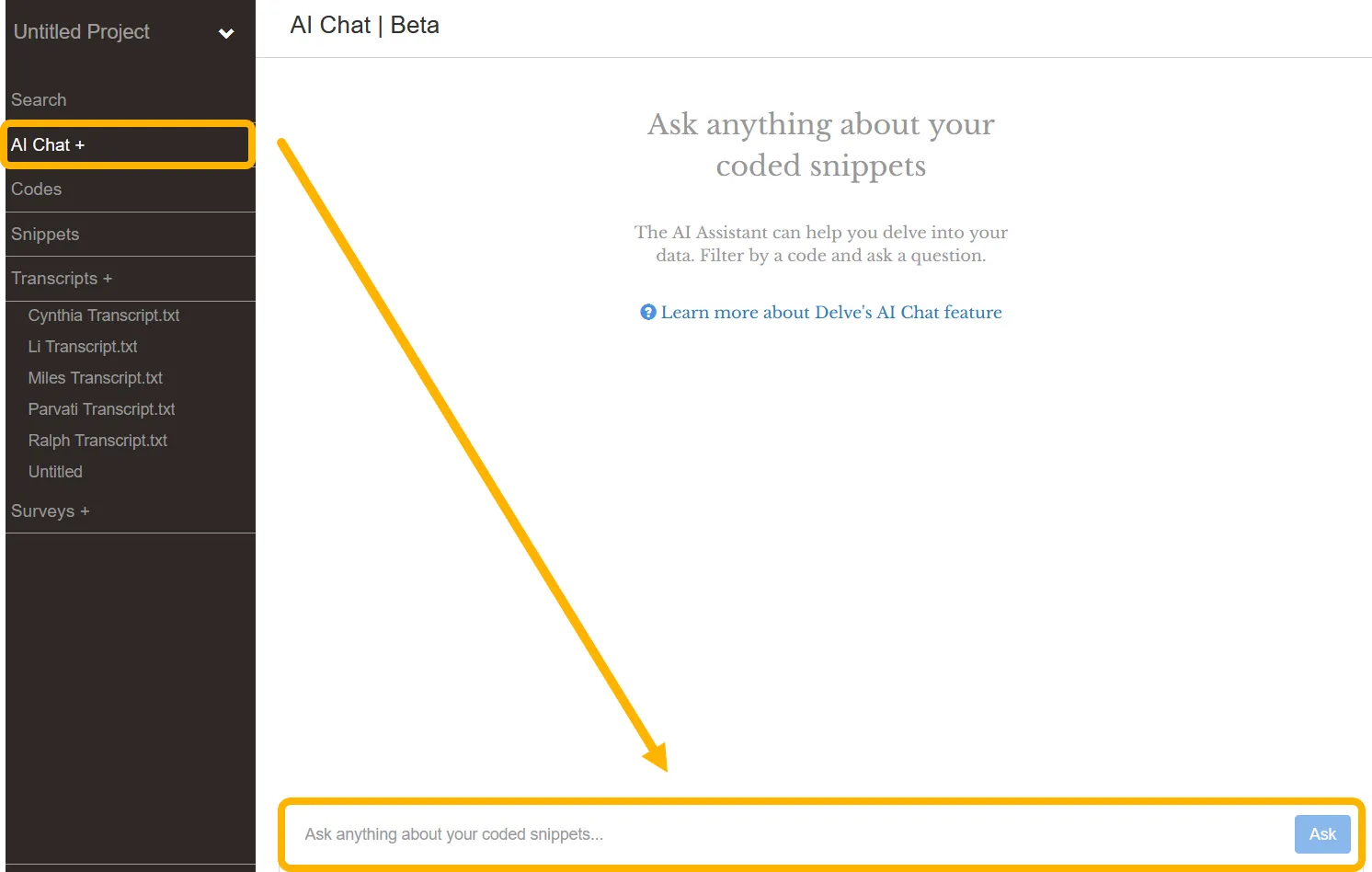
Context also accumulates in a chat thread and can quietly shape new responses in ways that are hard to trace back. In Delve, starting a new AI Chat session when you switch topics keeps each line of questioning self-contained. This is similar logic as working through thematic analysis with AI in stages.
2. Narrow that data that AI is working from
Similar to breaking tasks into steps, the more data you give any AI tool to work from, the more judgment calls it makes about what’s relevant. More AI judgment calls gives you less control over the results.
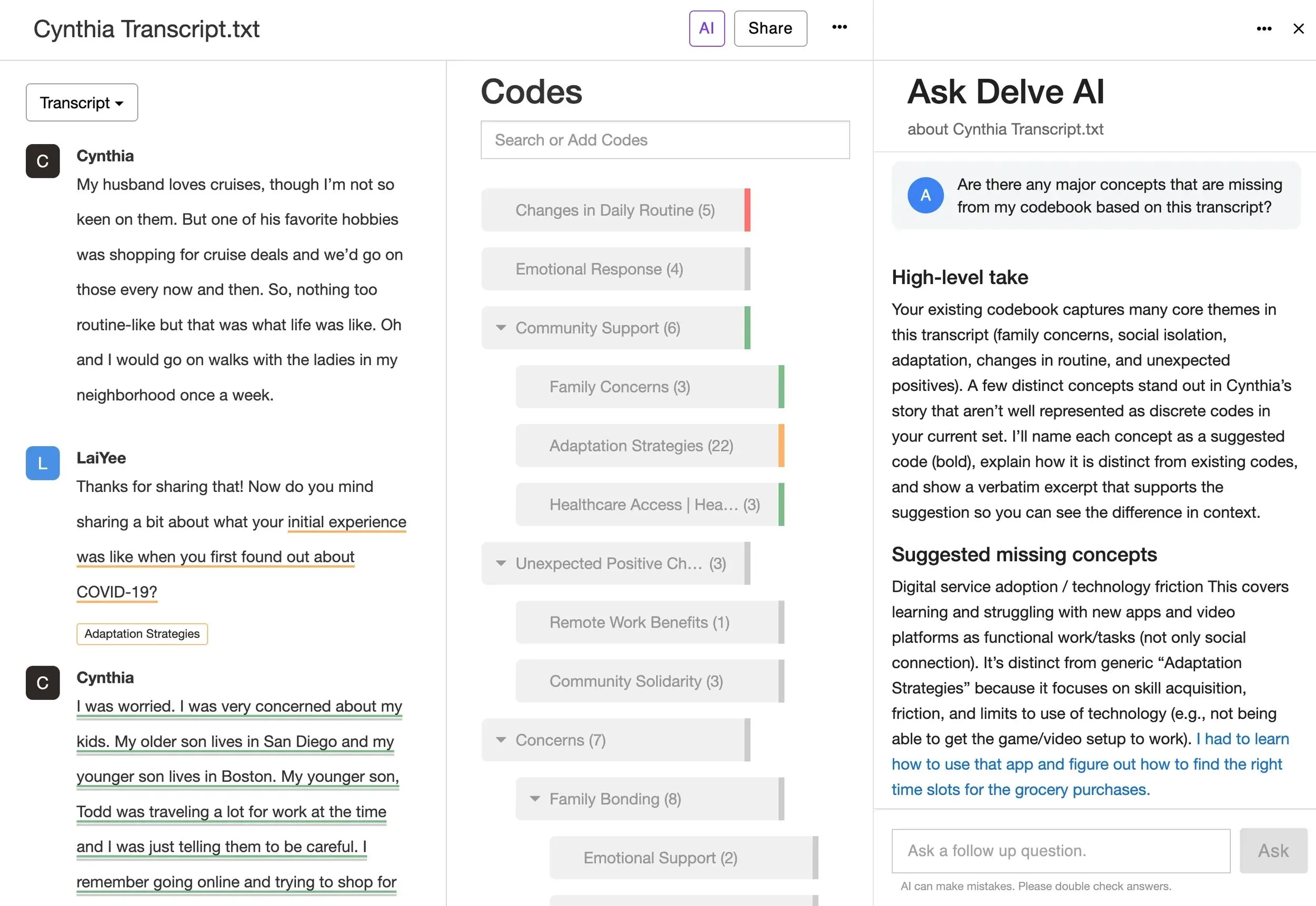
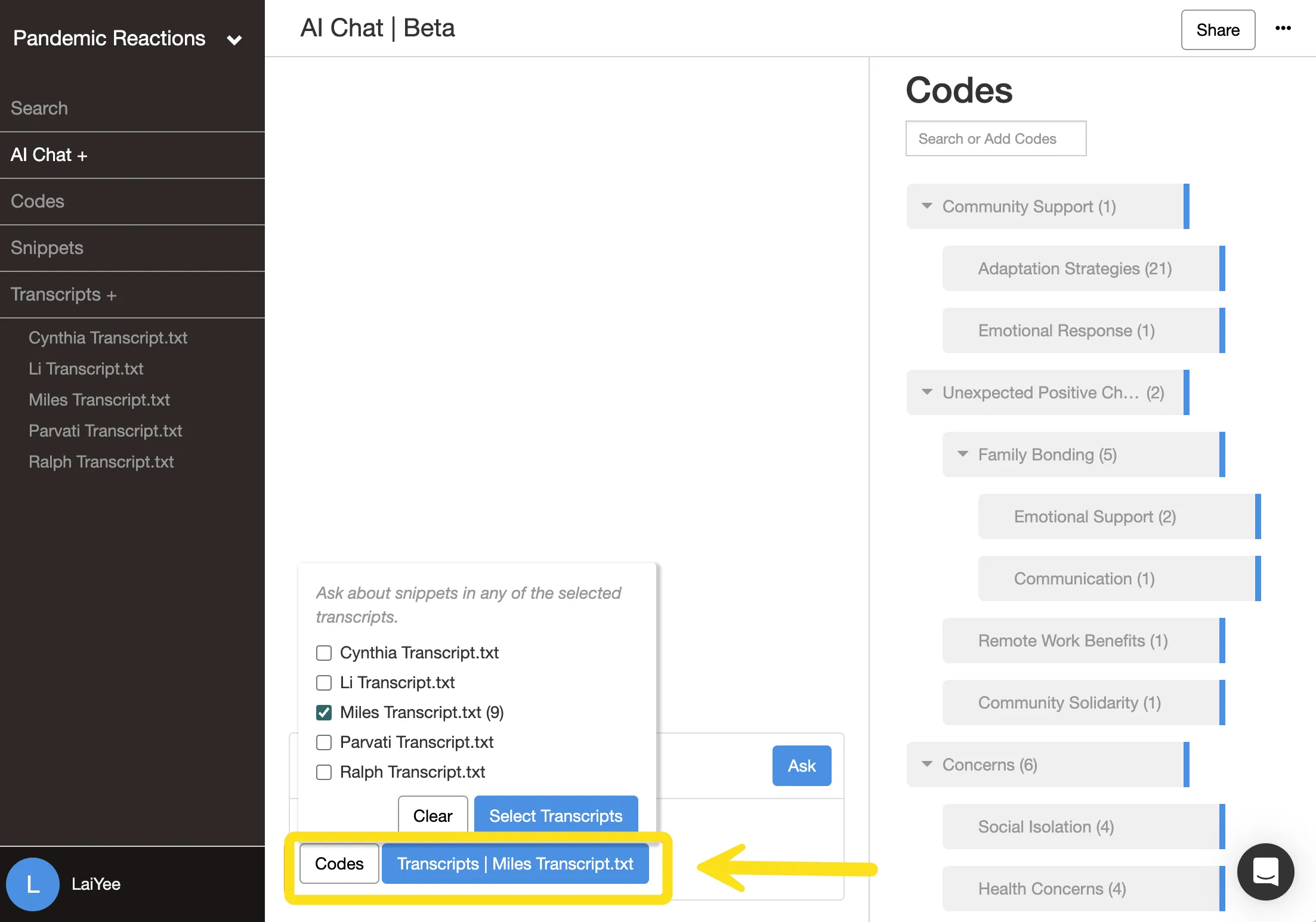
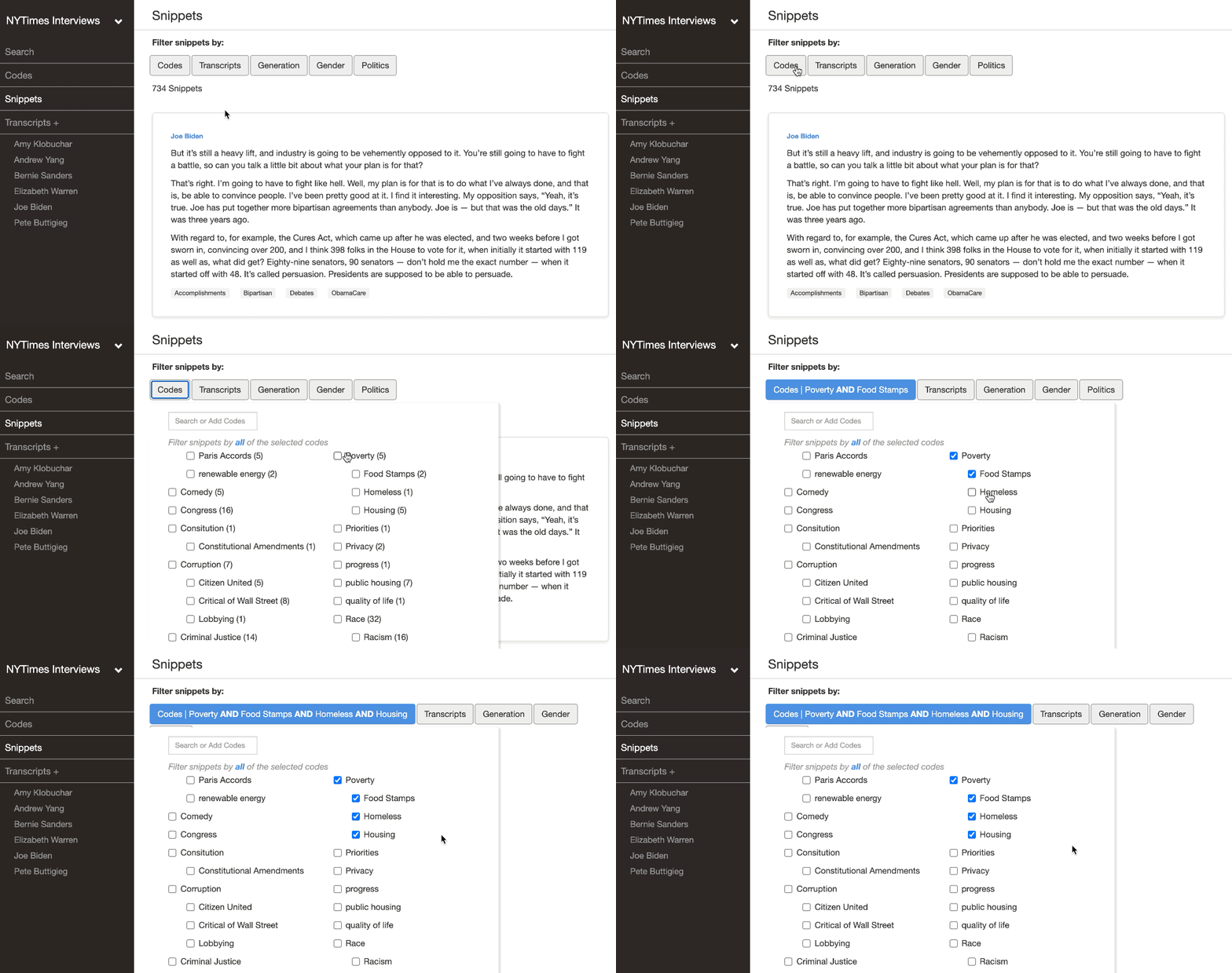
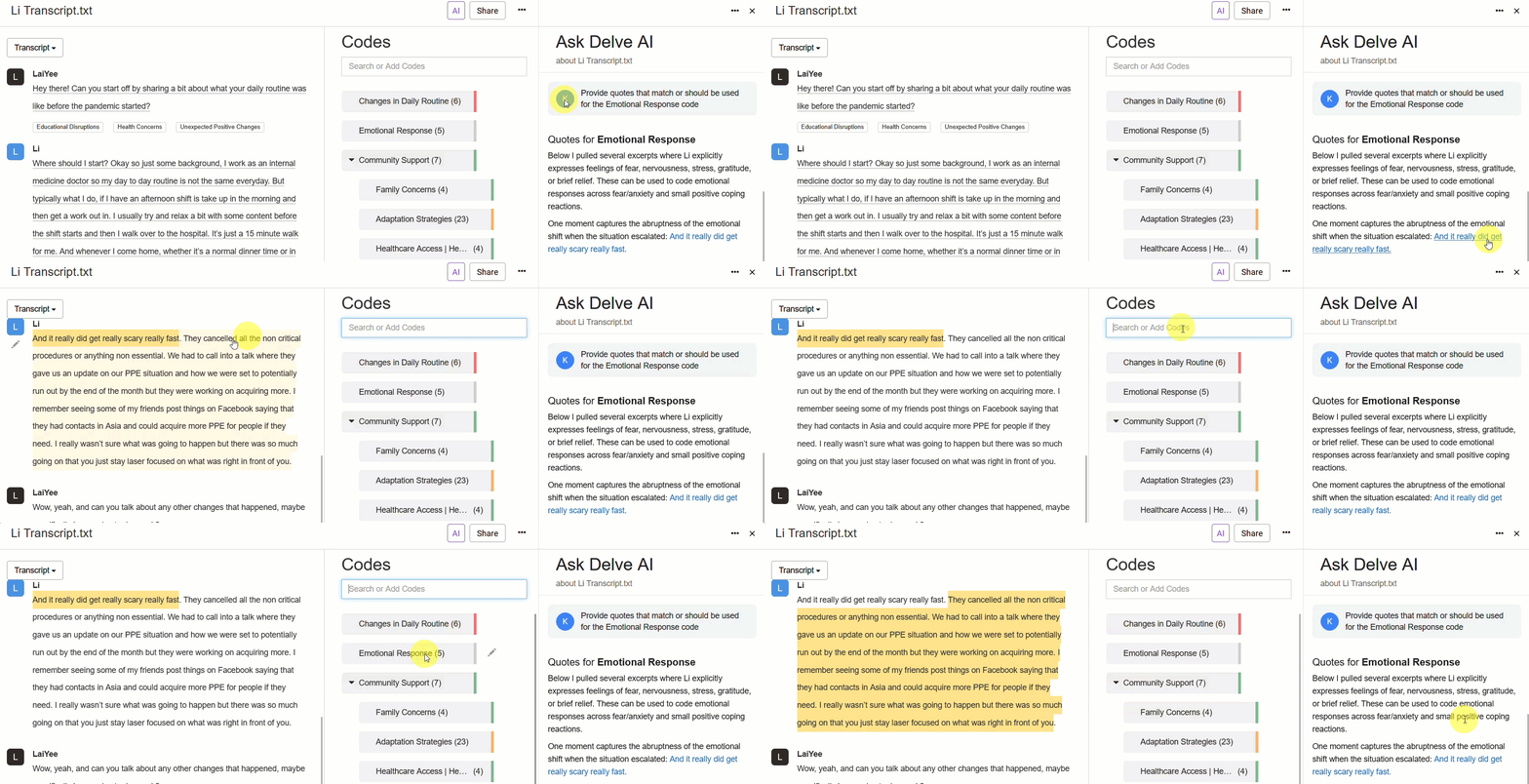
In Delve’s AI Chat, you can select which transcripts or codes AI draws from before it answers. Filtering by a transcript focuses AI on one participant or source at a time. Filtering by a code means AI works from excerpts you’ve already tagged as relevant rather than scanning everything in the project. This is also why starting a new chat matters here, not just when switching topics. Changing filters mid-session doesn’t clear what AI already absorbed earlier in the thread. You can also filter by both participant and code at once, which helps when you’re asking about how a group engaged with a theme.
You also need specificity when you’re working from a finished codebook. The more precise your code definitions, the more accurately AI applies them. This is why building and defining your codebook carefully before applying it with AI makes a real difference to the consistency of the results you get.
3. Give AI permission to come up empty
Ask AI for two supporting quotes from each of two groups, and it will usually produce them whether or not strong examples actually exist. The model is trying to complete your request as it was trained to do.
One way to avoid hallucinations is to tell the AI that it’s fine to say it couldn’t find a good example. Something like “if you can’t find a quote that genuinely fits here, just say so rather than forcing one” gives the model an exit it wouldn’t otherwise consider. It’s a small prompt change that cuts down on forced comparisons and misattributed evidence.
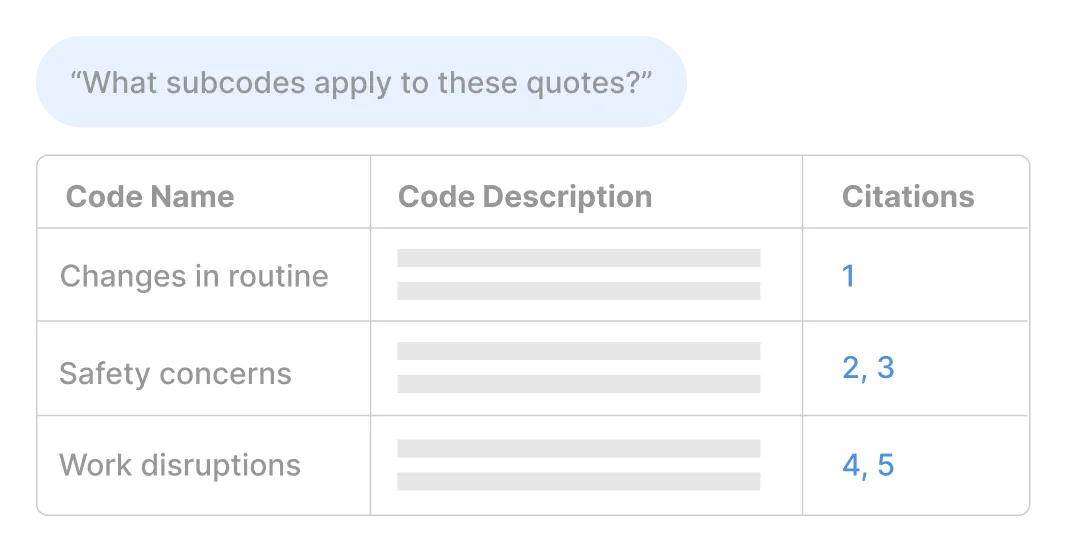
After Delve’s AI Chat responds, you can click through to the supporting snippets it drew from and read them in context. Checking whether two codes overlap in the excerpts AI cited rather than just in its summary is faster than tracking down misattributions after you’ve already acted on them.
4. Ask to verify responses before moving on
After AI gives you a response, a short follow-up asking it to check its own attributions can help catch mistakes before they carry into your actual analysis. Ask it to confirm each quote belongs to the participant or group it named, or whether it can point to the specific snippet.
Asking AI to answer and verify in the same prompt tends to miss things or skip over parts. When AI is focused on generating a response, accuracy takes a back seat. A separate follow-up prompt forces it to verify responses again with a narrower focus.
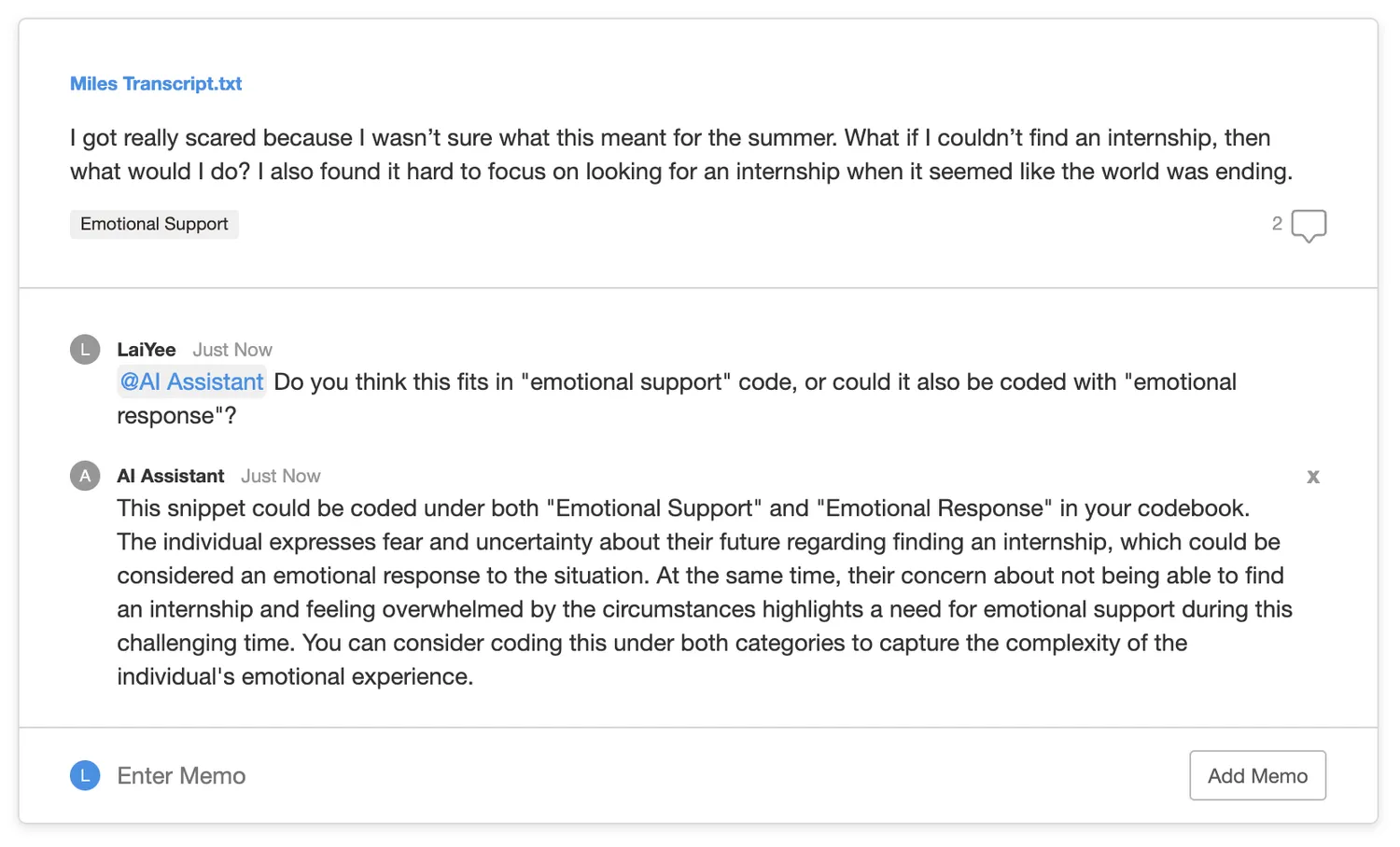
Delve includes a reasoning memo with every AI coding decision, where the AI explains why it applied a particular code. You can ask follow-up questions directly in that memo thread, building a record of where you agreed with the AI’s reasoning and where you pushed back. That exchange becomes part of your analytical trail. If you’re using AI to help with further rounds of coding, those memos also help you track how your codebook has developed and where your definitions needed sharpening.
5. Know your data well enough to catch errors
Your last line of defense is your own familiarity with your transcripts. Whether you use Delve or a chatbot like ChatGPT, Morgan (2023) explains that “there is no substitute for checking the output of the AI through one’s own familiarity with the data.” You need to spend time with your transcripts to notice when something is off or made up entirely. That familiarity isn’t something you can delegate.
One way to stay on top of what’s in your data is to use color coded codes so coded phrases are underlined in distinct colors. That makes it easier to see which themes are active in a transcript, where codes concentrate, and where coverage is thin, which makes AI’s outputs easier to sort through.
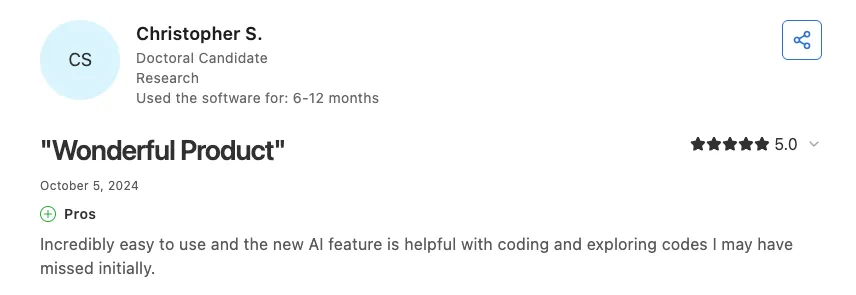
One doctoral candidate described Delve’s AI feature as “helpful with coding and exploring codes I may have missed initially.” It’s best to think of these tools as a second set of eyes rather than the primary one. It catches things you might have missed, but only if you already know what you’re looking for.
Work smarter with Delve’s AI features
These tips apply whether you’re using a general chatbot or an AI-assisted coding platform. Delve goes further by building that control into the research workflow itself.
Delve’s AI features keep you in control:
-
You choose what AI sees before it answers. Filtering by transcript, code, or both in AI Chat gives you direct control over the scope of each question before you ask it.
-
Every AI coding decision comes with a memo explaining the reasoning, and you can respond to it directly in the thread. That exchange becomes part of your analytical record.
-
If a round of AI coding misses the mark, you can remove it transcript by transcript and run it again with sharper code definitions. The process is designed for iteration.
-
All Delve AI features are included in every plan. Unlike platforms that treat AI as a premium add-on, Delve doesn’t charge extra for any of them.
The 14-day free trial of Delve gives you full access to every AI feature from day one with no upgrades required.

Frequently Asked Questions
Why does AI keep referencing transcripts I excluded from my analysis?
AI retains context from earlier in a conversation even after you update your filters. If those transcripts were part of the session when it started, changing filters mid-conversation won’t clear them. Starting a new chat before you change your focus is what actually resets it.
Why does AI misattribute quotes in qualitative research?
AI is built to complete a request rather than admit when evidence is missing. When you ask it to compare groups or find supporting quotes, it produces something that looks right even when the evidence is thin. Ask AI to verify its attributions as a separate follow-up, and check supporting excerpts against your transcripts before acting on them.
Can you use AI for qualitative data analysis without compromising accuracy?
Yes, with the right setup. Narrow what AI draws from before asking a question, break complex comparisons into stages, and verify outputs against your own reading of the data. Tools built for qualitative research like Delve let you filter by transcript or code before querying, which limits what AI can pull from.
What is AI hallucination in qualitative research?
Hallucination is when AI produces responses that look credible but aren’t grounded in the data you provided. In qualitative research it shows up as misattributed quotes, forced comparisons, or summaries that describe rather than interpret what participants said. AI is designed to generate plausible responses rather than flag gaps. Treat its outputs as a starting point to verify, not a finished result.
References
-
Braun, V., & Clarke, V. (2006). Using thematic analysis in psychology. Qualitative Research in Psychology, 3(2), 77-101.
-
Braun, V., & Clarke, V. (2022). Conceptual and design thinking for thematic analysis. Qualitative Psychology, 9(1), 3-26. https://doi.org/10.1037/qup0000196
-
Cook, D. A., Ginsburg, S., Sawatsky, A. P., Kuper, A., & D’Angelo, J. D. (2025). Artificial intelligence to support qualitative data analysis: Promises, approaches, pitfalls. Academic Medicine, 100(10), 1134-1149. https://pubmed.ncbi.nlm.nih.gov/40560241/
-
Liu, X., et al. (2024). Qualitative coding with GPT-4: Where it works better. Journal of Learning Analytics.
-
Morgan, D. L. (2023). Exploring the use of artificial intelligence for qualitative data analysis: The case of ChatGPT. International Journal of Qualitative Methods, 22. https://doi.org/10.1177/16094069231211248
-
Morgan, D. L. (2025). Query-based analysis: A strategy for analyzing qualitative data using ChatGPT. Qualitative Health Research. https://doi.org/10.1177/10497323251321712
-
Naeem, M., Smith, T., & Thomas, L. (2025). Thematic analysis and artificial intelligence: A step-by-step process for using ChatGPT in thematic analysis. International Journal of Qualitative Methods. https://doi.org/10.1177/16094069251333886
-
Nguyen-Trung, K. (2025). ChatGPT in thematic analysis: Can AI become a research assistant in qualitative research? Quality & Quantity. https://doi.org/10.1007/s11135-025-02165-z
-
Wachinger, J., Bärnighausen, K., Schäfer, L. N., Scott, K., & McMahon, S. A. (2025). Prompts, Pearls, Imperfections: Comparing ChatGPT and a Human Researcher in Qualitative Data Analysis. Qual Health Res, 35(9), 951-966. doi: 10.1177/10497323241244669.
Cite this article
Limpaecher, A. (2026a, May 19). How to Get More Accurate Results from AI in Qualitative Research. https://delvetool.com/blog/how-get-more-accurate-results-ai-qualitative-research