This is part of our Ultimate Guide to Comparing Qualitative Software | Take Our Free Online Qualitative Data Analysis Course | Start a Free Trial of Delve
NVivo is one of the most commonly used qualitative coding tools in graduate programs. While it has been used in academic research for decades, that doesn’t mean it’s automatically the best choice for every dissertation or thesis.

This article walks through what NVivo does well, when it makes sense to use it, and when a more accessible qualitative tool like Delve is worth considering instead.
What NVivo does well and why it’s the default recommendation
The breadth of what NVivo can do is impressive, if not slightly intimidating. You can bring in media like interviews, field notes, survey responses, PDFs, audio, and video files and keep everything organized in one place. As a project grows, you can cross-tabulate themes against participant attributes, generate word frequency analyses, and use cluster analysis diagrams to map patterns across a large body of material.
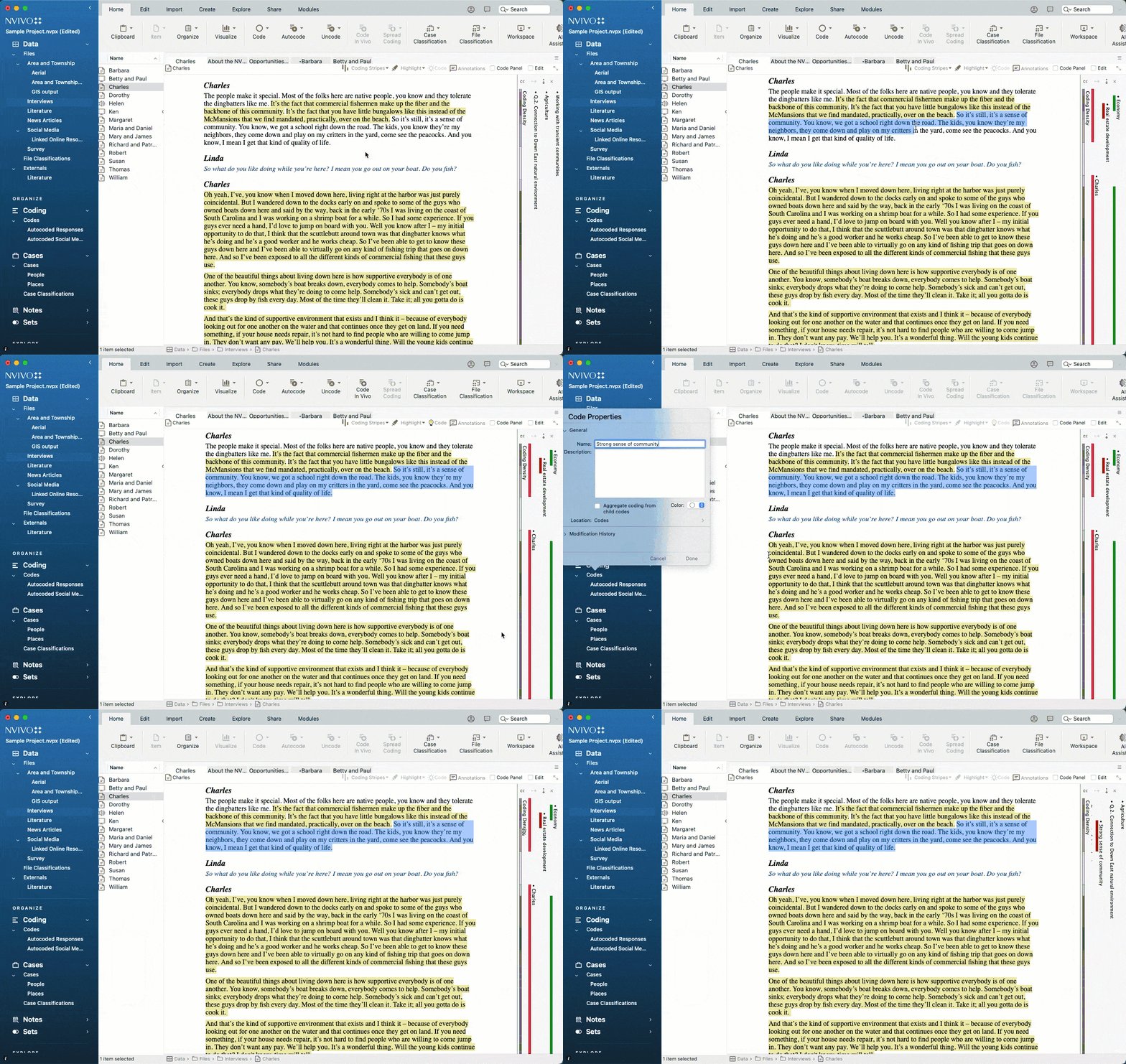
If your research spans years and involves dozens of data sources, you may need all those tools. Many institutions built training programs around NVivo and offer institutional licensing as a result, which is a big part of why it’s the default recommendation. When a tool is taught in methodology courses and listed in library research guides, it tends to stick around even when newer tools exist.
Once you know where everything lives, the workflow can click into place. But getting there takes weeks of training that most dissertation students don’t have time to do. The depth that makes NVivo valuable for large research teams is the same thing that creates friction for a solo researcher on a deadline.
When to use NVivo for your project
NVivo tends to work best for a specific kind of project and researcher when:
- Their institution covers the cost and provides some form of training.
- They are working across a very large or complex dataset with multiple data types.
- There is enough runway in the project for the learning curve to be worth it.
- They have time to take training courses and get comfortable before the real work begins.
- They have used NVivo before (though may still need a refresher course).
Whether your project genuinely needs that depth is worth figuring out before you commit. For many dissertation students, there are more intuitive NVivo alternatives that are a better fit.
Why NVivo doesn’t fit all dissertation and thesis students
Most dissertations involve a set of interviews or focus groups, a clear methodology like thematic analysis or grounded theory, and you work in whatever time you can carve out. For a project on a deadline, the same features that make NVivo powerful for large research teams start to create friction instead.

- The learning curve is real. NVivo is loaded with features most dissertation students never use. Users consistently describe needing “a whole course to learn to work with it.” There are a lot of distractions and you end up jumping around between tools or windows. Between fieldwork, writing chapters, and responding to committee feedback all at once, most students simply don’t have time for weeks of training.
- The cost is hard to justify for a single project. A full license runs $1,195+ per year. Students without institutional access pay that themselves. And if your analysis runs past graduation, or you want to return to the data for publications or revisions later, getting back in to access your project files turns into a separate task to figure out.
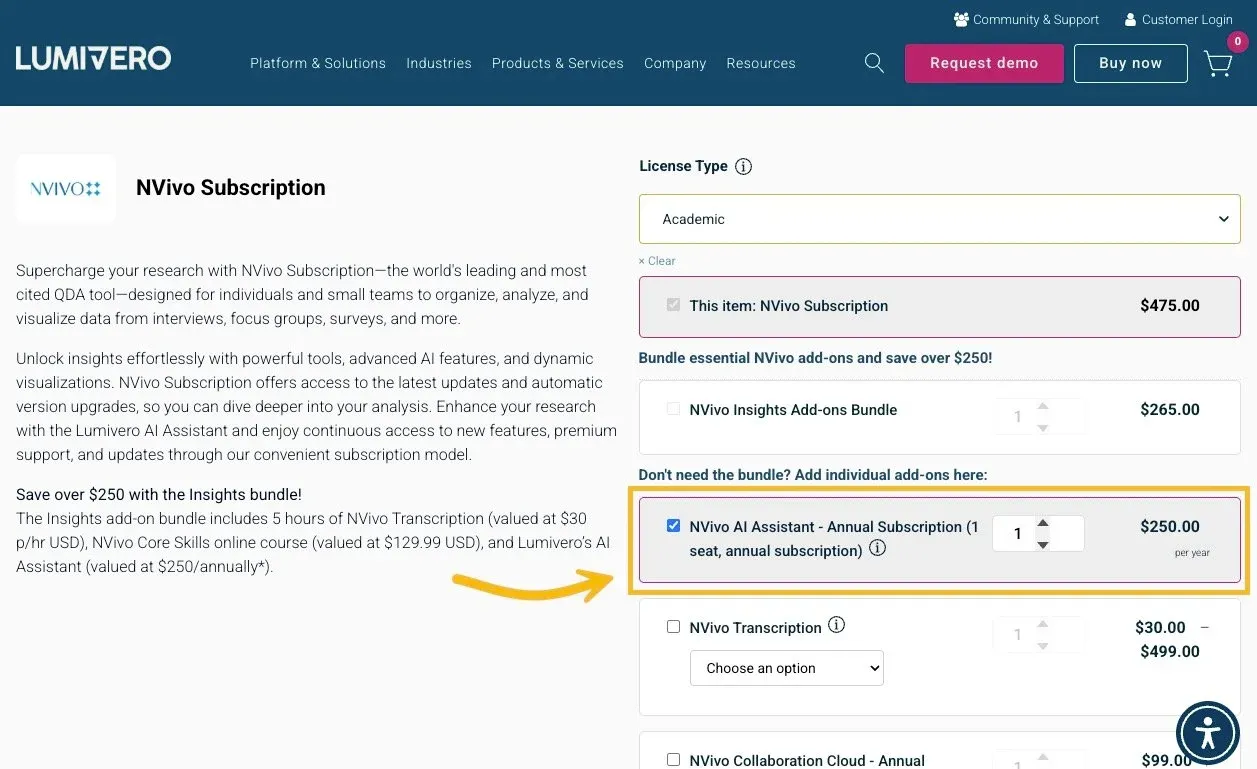
- Sharing with your committee is more complicated than it needs to be. Bringing a peer debriefer or advisor into your project means managing files, versions, and separate licenses. The cloud collaboration add-on option has drawn consistent criticism from users who found it unstable and expensive on top of an already high base cost.
One doctoral student who had used NVivo before switching described it as “filled with features I simply don’t need.” Another turned to other tools like Delve because of the “cost, accessibility, and utility as a solo researcher working on a dissertation.” Neither is alone in that thinking.
A simpler alternative for dissertation and thesis research
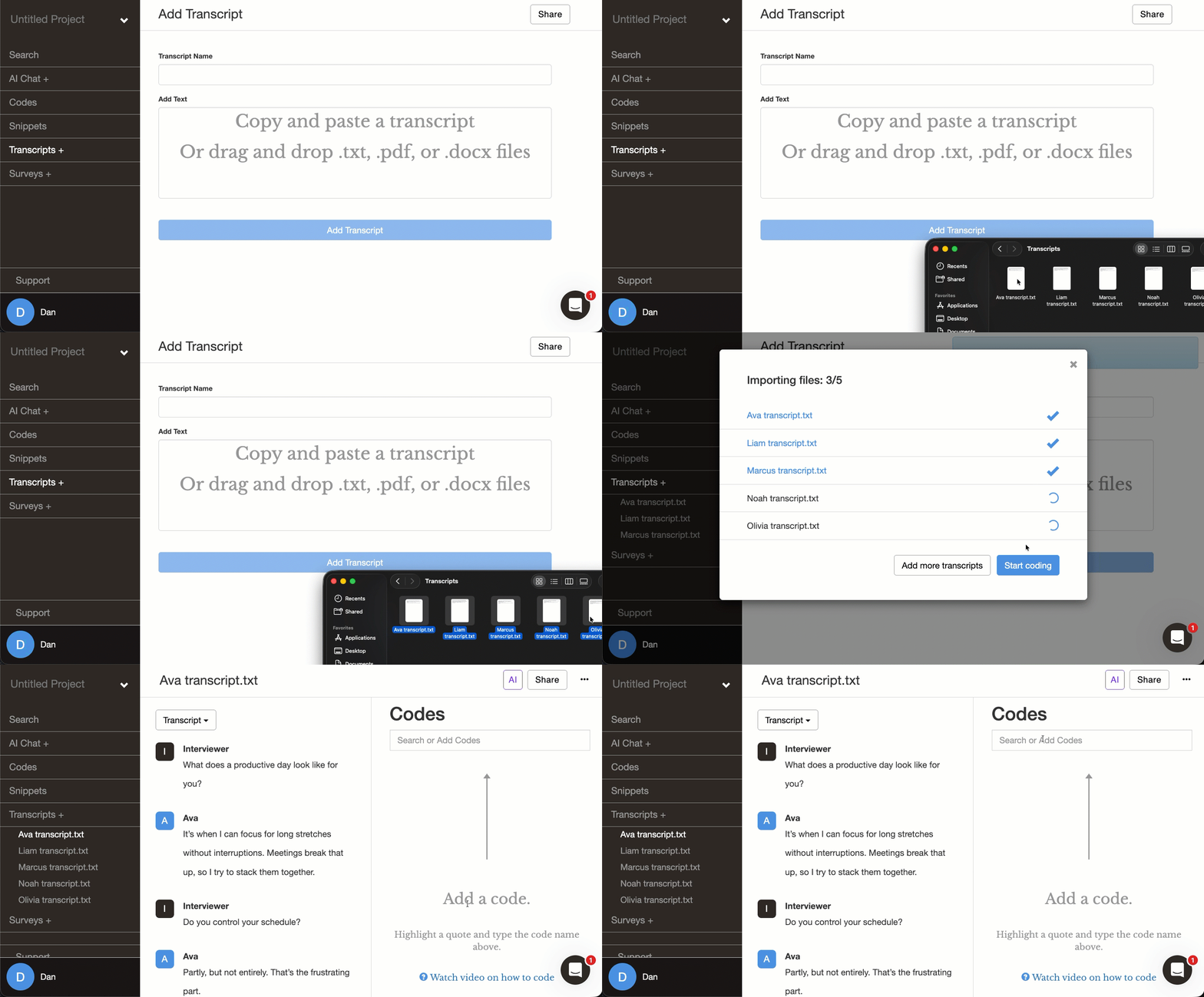
Delve is a web-based qualitative coding tool built around the focused, deadline-driven research most dissertations involve. You don’t need to install or configure anything, and can access your project on any browser. It takes about five minutes to create an account, upload your transcripts, and start coding.
Dr. Katherine Miller used Delve for her University of Pennsylvania dissertation, working through 18+ hours of recordings and interviews on how teachers develop data literacy. She built and reorganized her codebook as her thinking shifted, using snippet counts to judge where themes had real weight and where codes could be simplified. “Delve allowed me to sort my codes to combine them into these bigger ideas or to tease them apart as I was going through this process.”
A Ph.D. candidate who came directly from NVivo described Delve as “exactly what I need where others were overwrought and too expensive.” A doctoral student finishing in under a year wrote that Delve “cut my analysis time in half and the write-up was a breeze.”
Delve is built around how dissertation research works
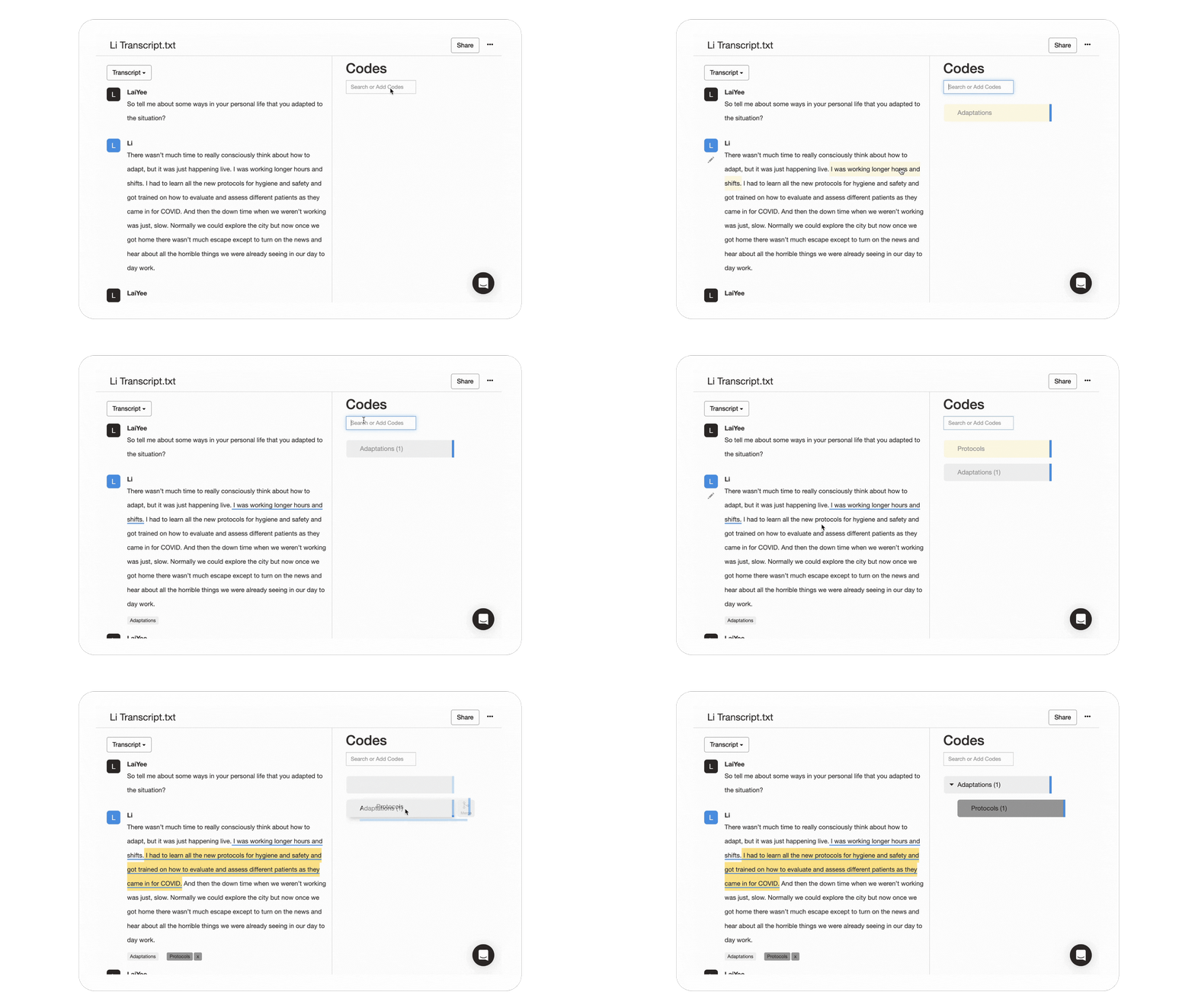
The coding process is easy to pick up. You highlight a passage, assign a code, and keep going. Codes go into a codebook automatically. As you spot patterns, you can nest codes into themes, color code to distinguish different threads in your data, and reorganize everything as your thinking develops.
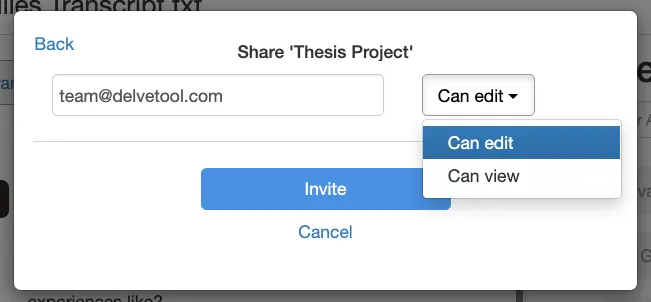
You can share your project with your advisor, committee members, or a peer debriefer takes two clicks. View-only access is free, so they can review your coding without needing their own subscription. Edit access works for anyone coding alongside you, and permissions are easy to adjust as the project moves through different stages. It is easy to add, remove, or edit these settings.
If an advisor isn’t available, Delve’s AI assistant can step in to fill that gap. You can ask it to review your codebook, flag overlaps, or suggest subcodes as your work develops. The analytical judgment stays yours throughout. Like the collaboration add-on, NVivo charges extra for AI features. The AI features are included with Delve.
And for students paying out of pocket, education pricing starts at $18/month with no annual commitment. You pay during active analysis months and it is easy to pause when you are in fieldwork or writing mode.
NVivo vs. Delve: Quick comparison for dissertation students
| Delve ✓ | NVivo | |
|---|---|---|
| Setup time | Under 10 minutes | Hours or days |
| Pricing | $18/month (student pricing) | $1,195+/year |
| Web-based | Yes | No |
| Learning curve | Minimal | Steep |
| AI features | Included | Extra cost |
| Advisor sharing | View or edit access, 2 clicks | File management required |
| Collaboration add-on | Included | Extra cost, reported instability |
| Best for | Dissertation students, solo researchers | Large-scale funded research |
Try Delve free for your dissertation
NVivo is a serious tool that has earned its place in the right research scenarios. For a dissertation student working through a few dozen transcripts on a timeline and a budget, that context is rarely a match.
Here is what students say after making the switch to Delve:
- A doctoral graduate attributed completing her data analysis, finishing her manuscript, and graduating to Delve: “My overall experience with Delve was 100% positive.”
- A PhD student juggling field notes, student journals, and interviews described Delve as stopping her from “spending hours searching for that elusive quote buried in my data.”
- A master’s student before switching noted that her previous option “required more investment of prior education, time, and money to even get started.” Delve got her up to speed quickly.
Start a free 14-day trial of Delve today. There’s no credit card required, and you can invite your advisor to review your work from day one.
More NVivo comparisons
- NVivo vs. Delve
- NVivo Cloud Collaboration: Is It Worth It?
- ATLAS.ti vs. NVivo vs. Delve
- MAXQDA vs. NVivo vs. Delve
- Dedoose vs. NVivo vs. Delve
- Top NVivo Alternatives for Dissertation Students