This is part of our Ultimate Guide to Comparing Qualitative Software | Take Our Free Online Qualitative Data Analysis Course | Start a Free Trial of Delve
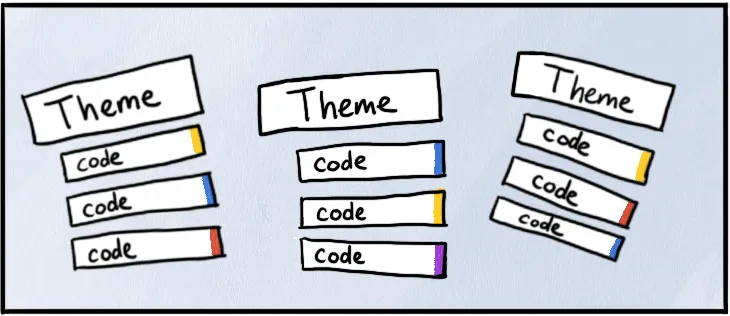
Thematic analysis is a research method where you read transcripts, code key points, and build those codes into broad patterns (themes) to explore your research questions. It’s structured yet flexible, moving in cycles. Good software supports this cyclicality. The wrong tools break the flow.

We tested seven of the top coding platforms to see which works best for thematic analysis. This article walks through what we found.
What matters when choosing software for thematic analysis
Thematic analysis isn’t linear. Your codes and analysis will change as you dig into what people said in interviews and your understanding evolves. You need a tool that focuses on flexibility.
To find software for building themes, ask yourself:
-
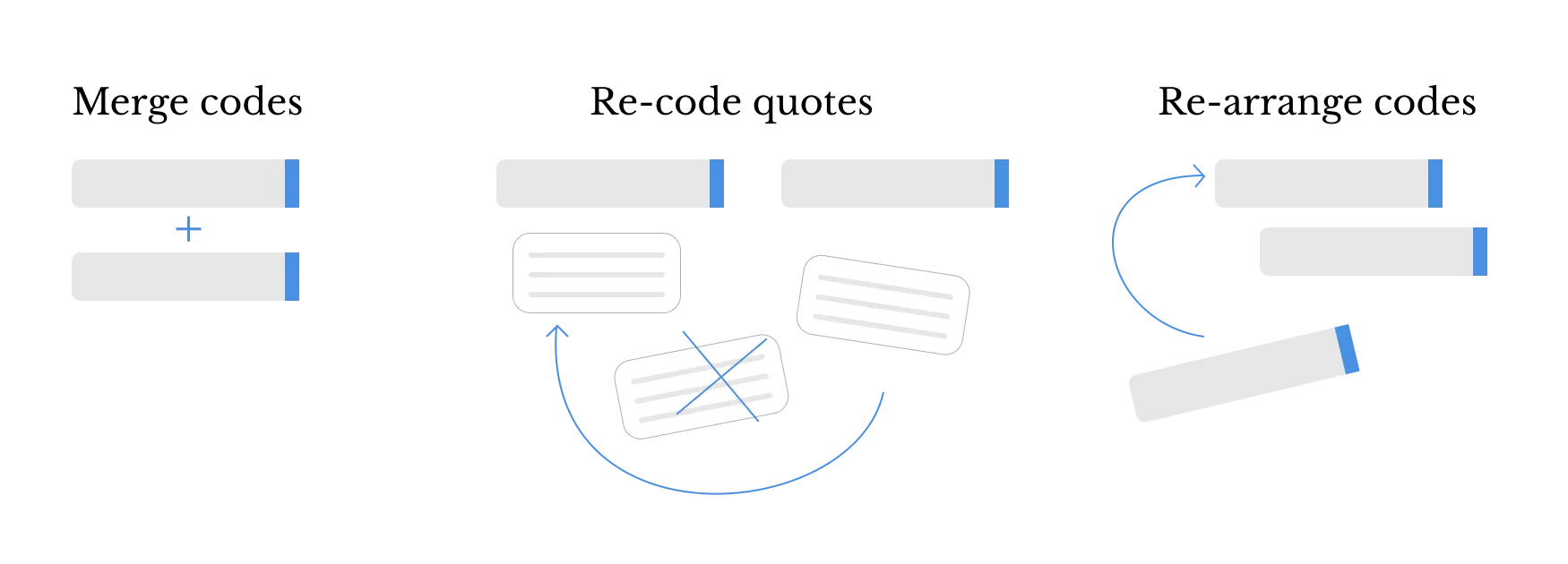
Can I reorganize codes quickly into themes? Software should let you merge codes quickly when you realize they’re similar, split them when they’re too broad, and nest them under different themes as you test patterns.
-
Can I document my thinking? When you group codes into a theme, you need to write memos to capture why you made that choice. Software should support ongoing reflexivity.
-
Can I trace themes back to the source interview? Every theme needs to be grounded in your data. Software should let you quickly check which interviews support a theme and see the actual codes and direct quotes behind it.
We coded the same batch of interviews in each platform to see how they handled these challenges.
Comparing the best tools for thematic analysis
Here’s how each platform stood up to the theme-building workflow:
NVivo
Powerhouse with a learning curve
You’ll need a few training sessions before you understand NVivo well enough to start building themes. One reviewer puts it well: you need a whole course to learn it. Nothing is in the same place, which makes it harder to tie codes together into overarching themes.
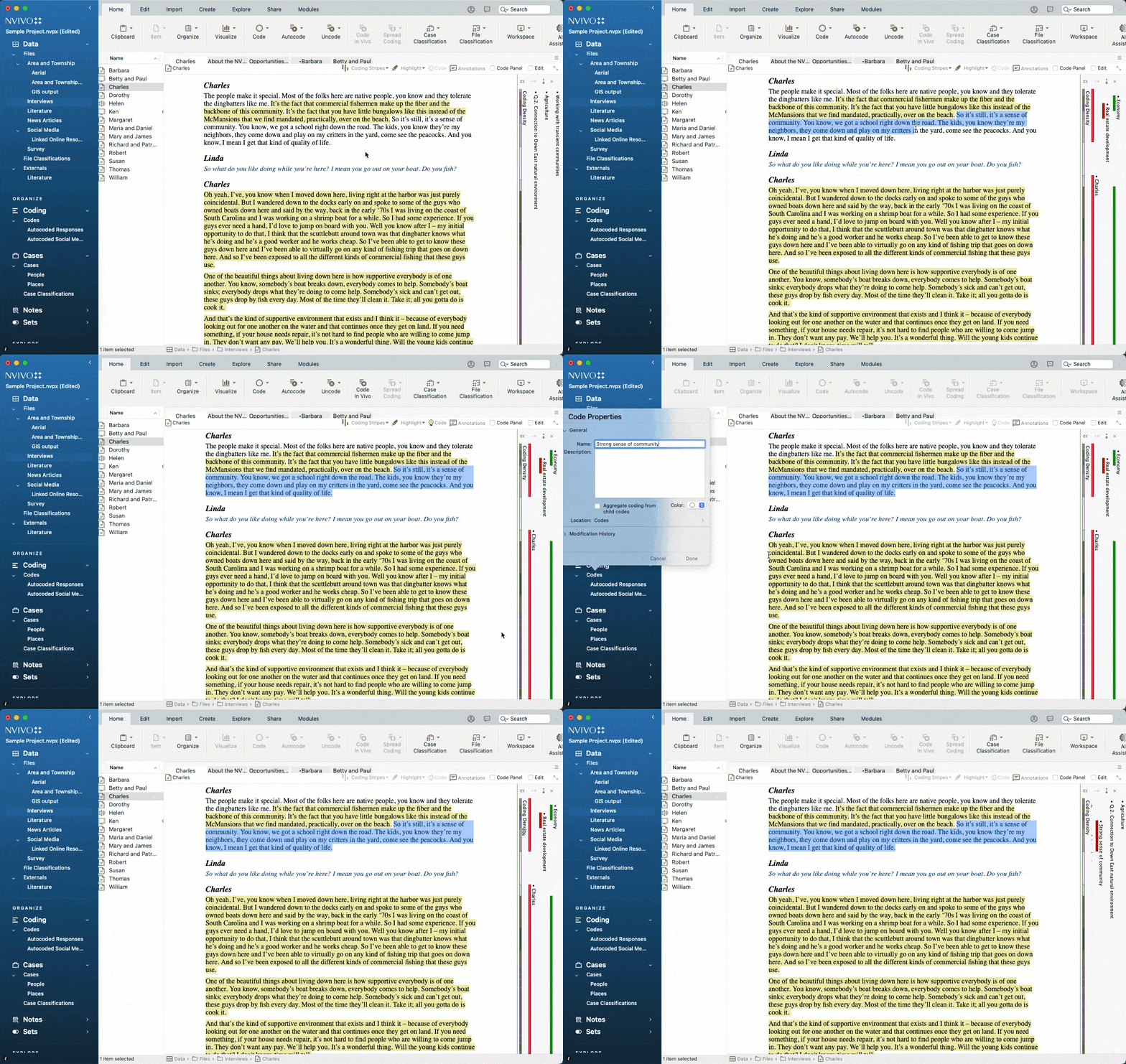
You can link one memo per node to document your thinking. Annotations show up in a separate tab. Pick one approach or you’ll split your notes across both. When developing themes, you click between memo links, annotation tabs, and node properties instead of seeing everything together.
The coding stripes help you see what ideas connect, and nodes gather references when you open them. But verifying themes against what people said means opening the node, reviewing references, then tracking back to which transcript each came from. Other tools make this easier.
-
Best for: Large funded projects with training budgets and IT support.
-
Price: Desktop licenses $1,195-2,038 per researcher annually. Cloud collaboration adds more.
ATLAS.ti
Too many ways to do the same thing
The desktop version offers five ways to apply codes. When you’re testing whether codes should merge or nest under different themes, you just want to apply codes and see where they connect. There’s a lot of organizational tools but none that just keep your coding structure front and center.
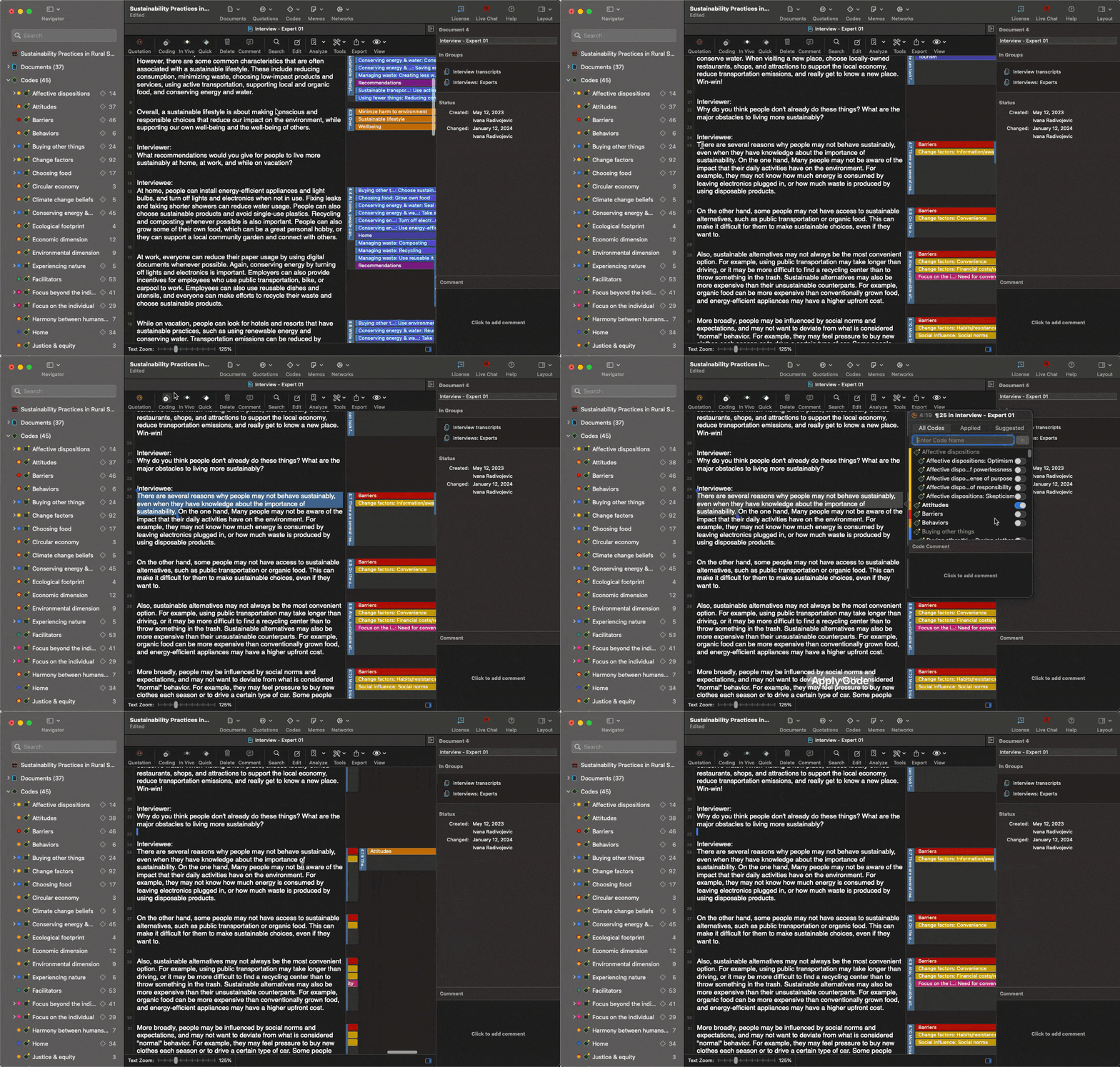
The Network View tool helps connect ideas but it lives in separate panels from code groups and memos, which live separate from comments (another note system). You click between a lot of windows to track reflexive memos.
The Code Co-occurrence Explorer spots which codes appear together. But verifying a theme against what people actually said means clicking between the Quotation Manager, the Co-occurrence Explorer, and code definitions – all separate locations.
-
Best for: Teams with time for training who need advanced analysis features.
-
Price: Desktop $895 per researcher. Web $120 annually.
MAXQDA
All the bells and whistles (if you need them)
Smart Coding shows all your coded excerpts under a code and lets you move them to different codes. But it opens windows for every action. One reviewer found it “confusing to organize the data once it’s coded.” When early themes shift and you need to move codes around, all the windows break your flow.
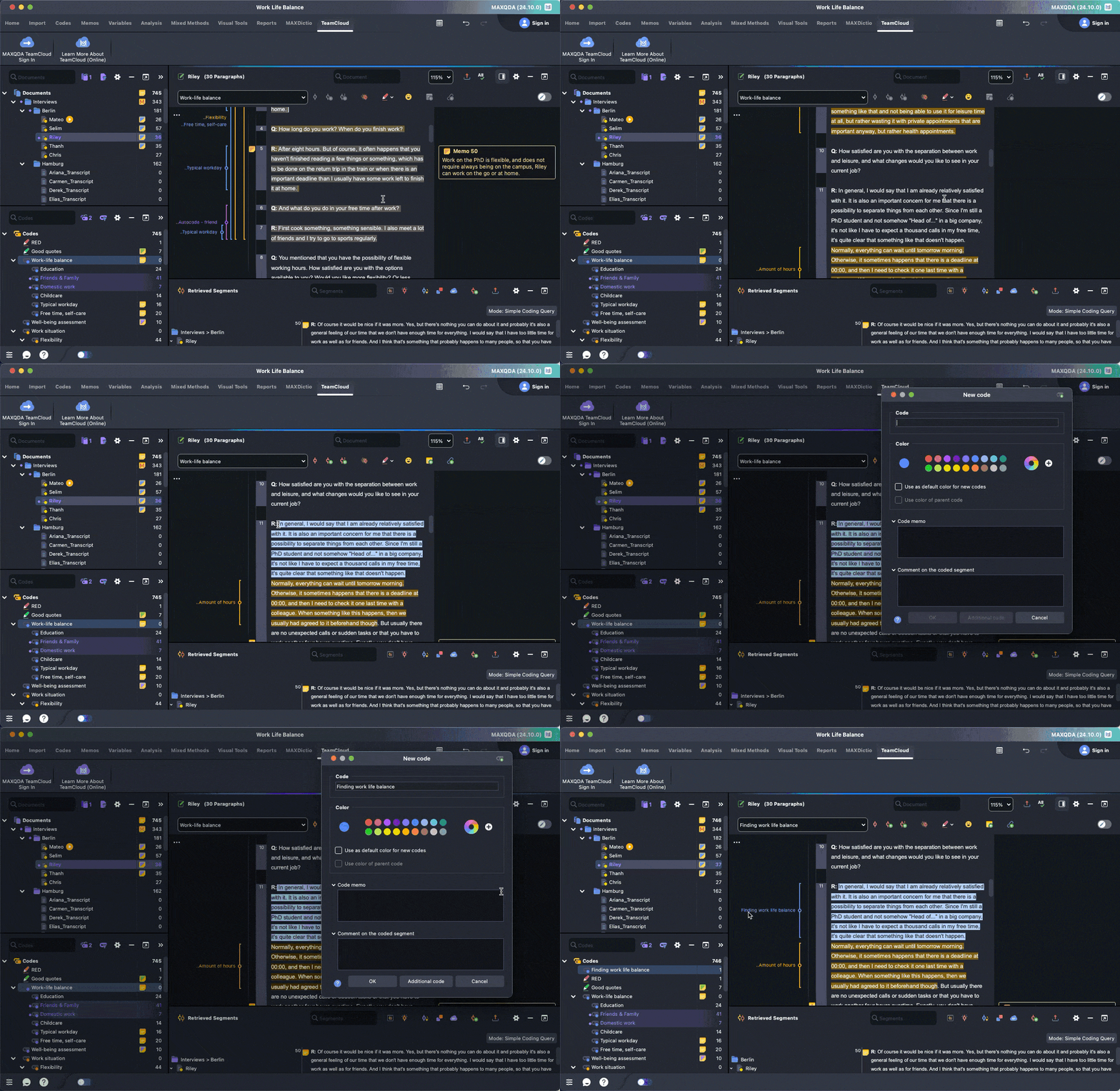
When you’re developing themes and need to see memos, you’re going between Overview of Memos, Code Patterns, and MAXMaps diagrams. You run into the same problem with separate windows for everything. Another reviewer noted the busy interface “leaves a lot to desire.”
MAXQDA makes it easy to check excerpts when verifying a theme. But when you have dozens of codes, you’re tracking between memos explaining your reasoning, code definitions, and actual quotes on different screens. Other tools make it easier to track codes to source transcripts.
-
Best for: Projects with training time and collaboration budgets.
-
Price: Standard licenses $600-800. TeamCloud adds $600-800 annually.
Delve
Built for thematic analysis workflow
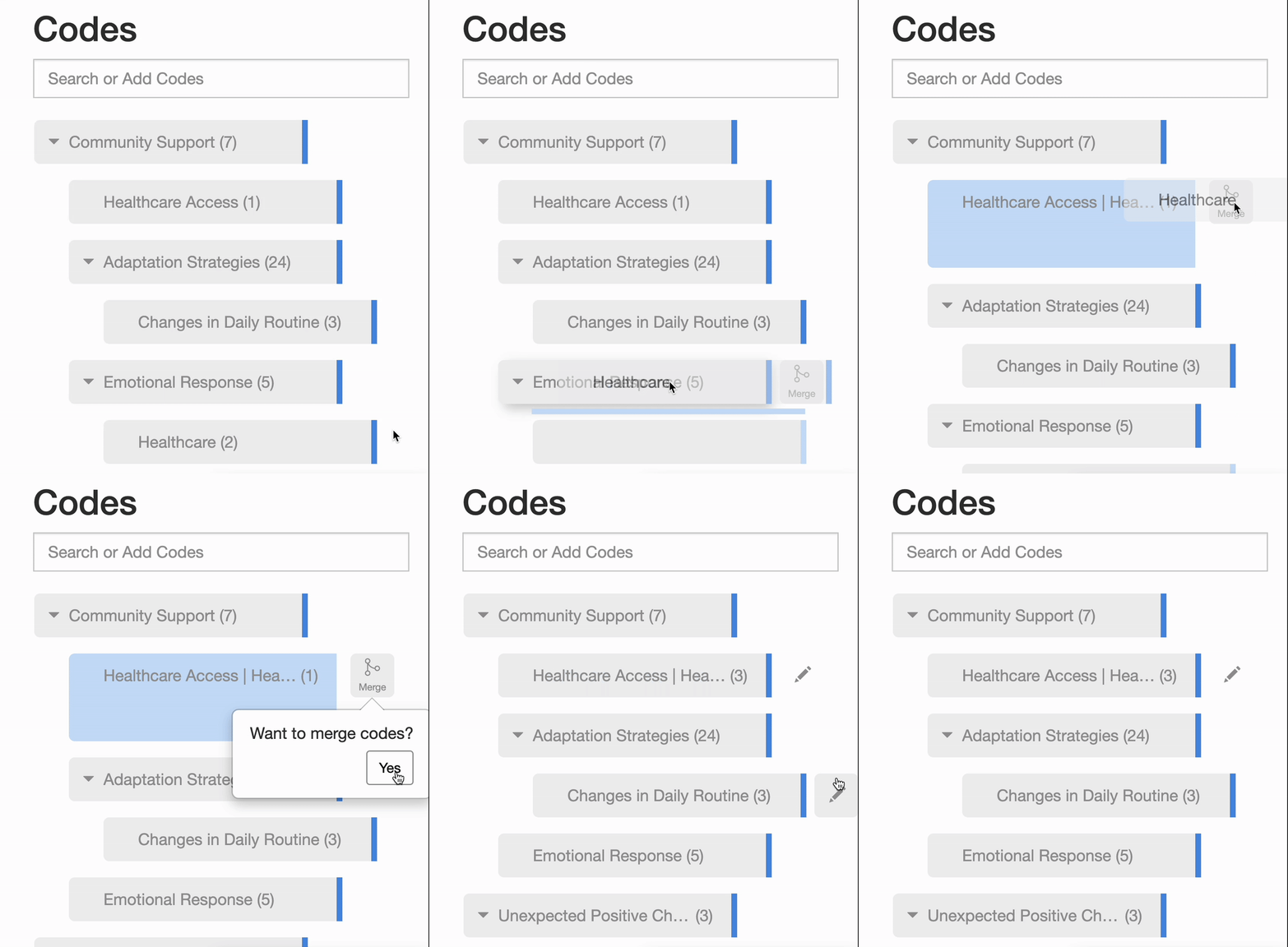
Merging codes and building themes is very simple in Delve. Drag codes to nest under themes, and merge redundant ones in two clicks. Code co-occurrence matrices show which codes overlap to help spot patterns. When your framework shifts, there’s no delay.
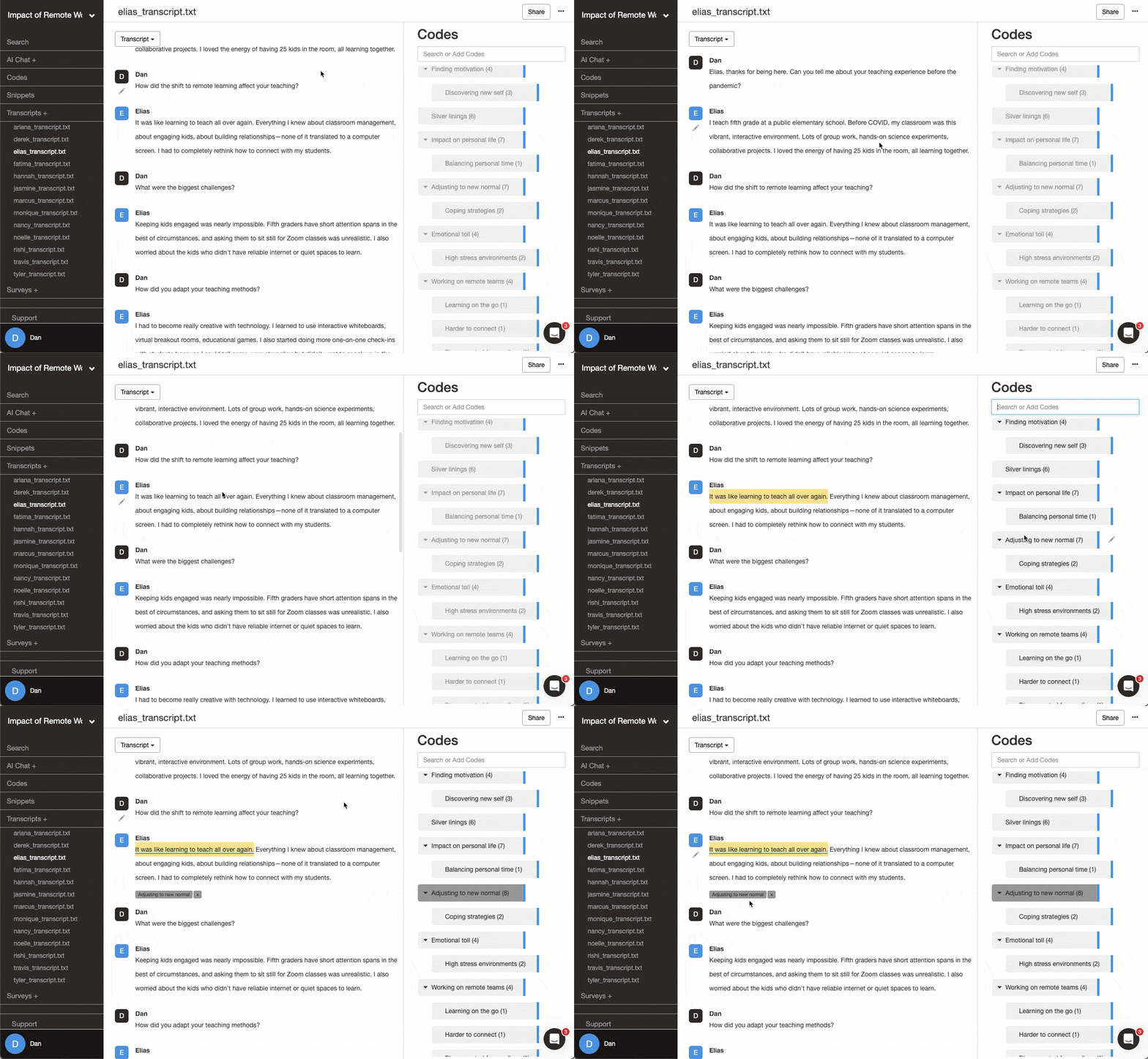
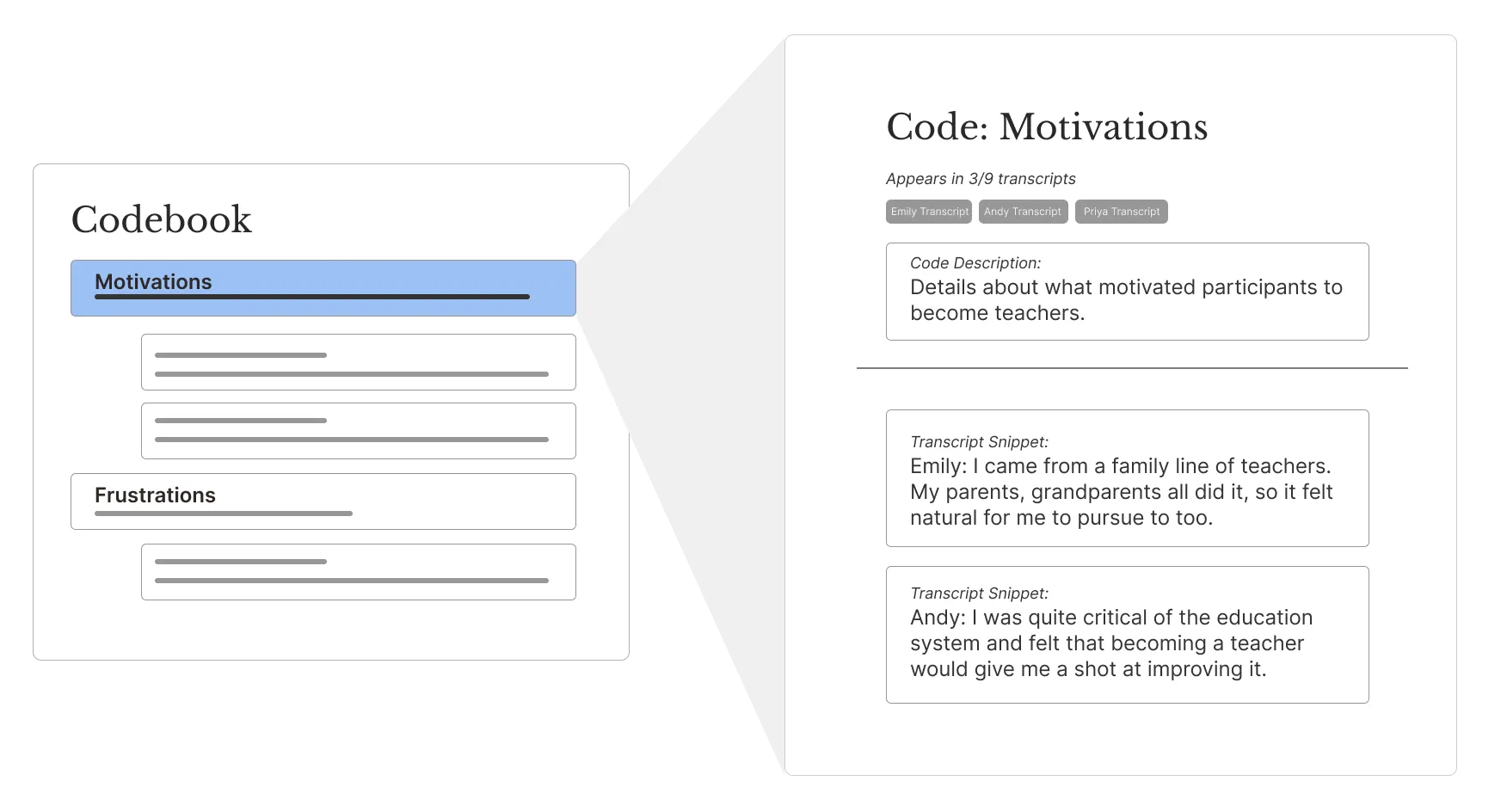
You can add code descriptions directly to each code for documenting what codes mean. Memos are just as easy to add to track your thinking. When you’re deciding whether codes should merge or split, your reasoning from three months ago sits right next to the excerpts that prompted it.
Code pages show all excerpts for a code, so you can trace ideas back to other codes and their original interview. Click a code, see every instance across all transcripts.
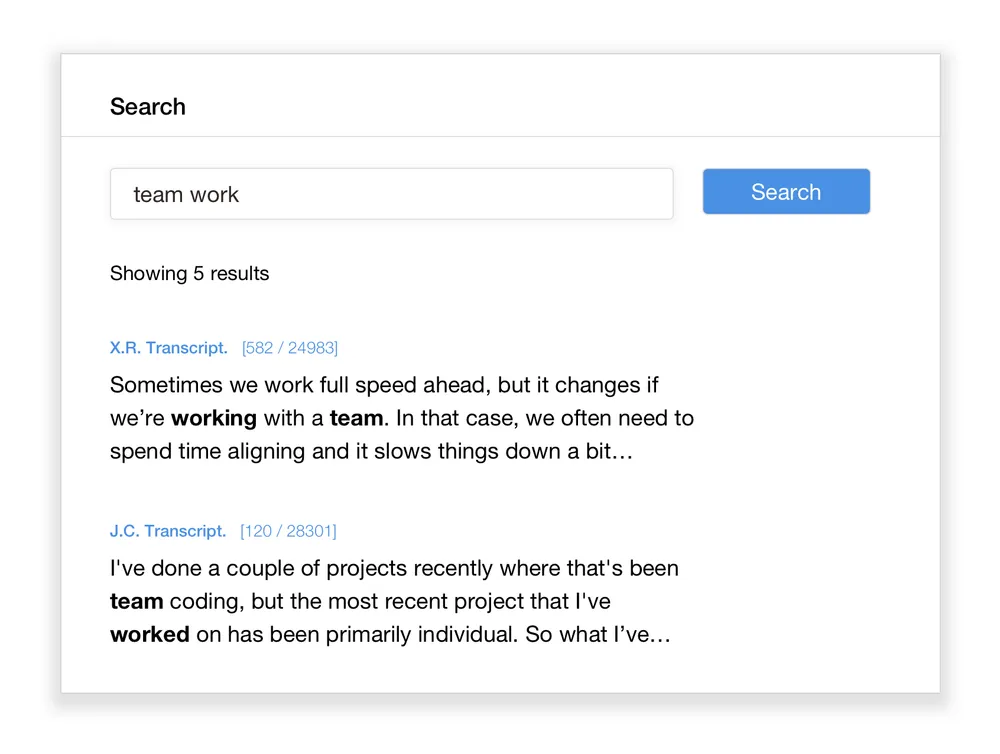
And when you’re building themes, universal search helps you quickly jump through every place a word or idea shows up. A reviewer liked that checking themes across transcripts “takes seconds.”
-
Best for: Dissertation students. Teams doing collaborative thematic analysis. First-time researchers.
-
Price: Starts at $50/month. Student pricing $18/month. Free 14-day trial.
Quirkos
Dragging bubbles slows down reorganization
Dragging one bubble onto another creates sub-codes. When you’re testing early themes, the visual approach is kind of fun. But when you need to reorganize your analysis or spot early themes, you’re dragging circles around a canvas and lose the hierarchy of how ideas connect.
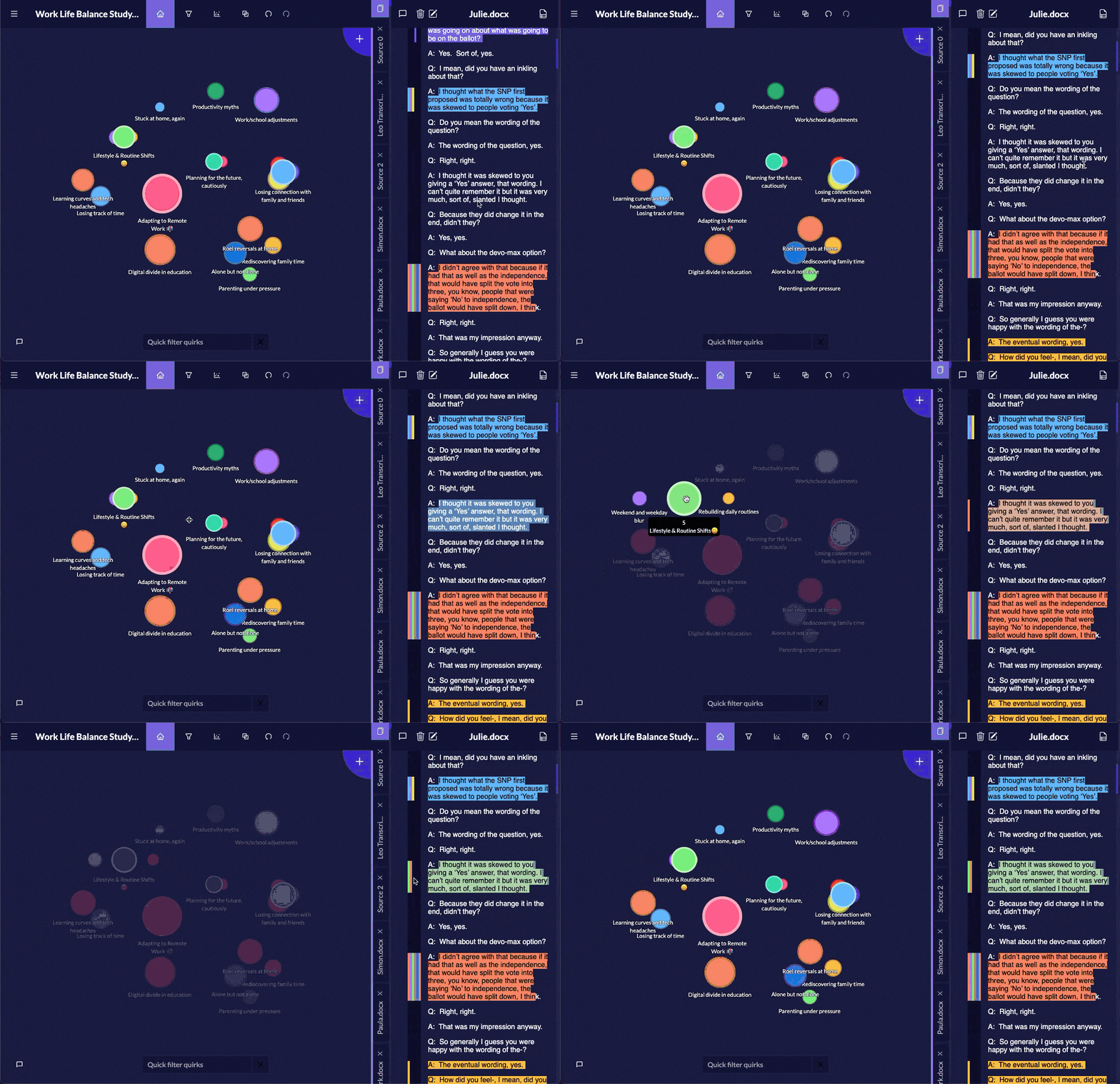
The canvas replaces traditional memos. Your spatial arrangement shows how codes relate, similar to MAXQDA’s MAXMaps. But there’s no layer for writing out why codes connect. When you come back three months later trying to remember why you nested two codes, you’re working from visual proximity and memory instead of clear notes.
Clicking a bubble shows excerpts for that code. But when you’re trying to verify whether codes should merge or stay split, there’s no simple code tree visual. More than one reviewer noted difficulty “managing complex coding schemes.”
-
Best for: Visual thinkers with straightforward coding frameworks.
-
Price: Licenses start around $400. Academic discounts available.
Taguette
Free and functional basics
Taguette has no built-in tools for merging or splitting tags, and no true nested hierarchy beyond naming conventions. You rename tags (codes) one at a time, manually keep track of which excerpts belong where, and reshape your coding structure yourself as patterns change.
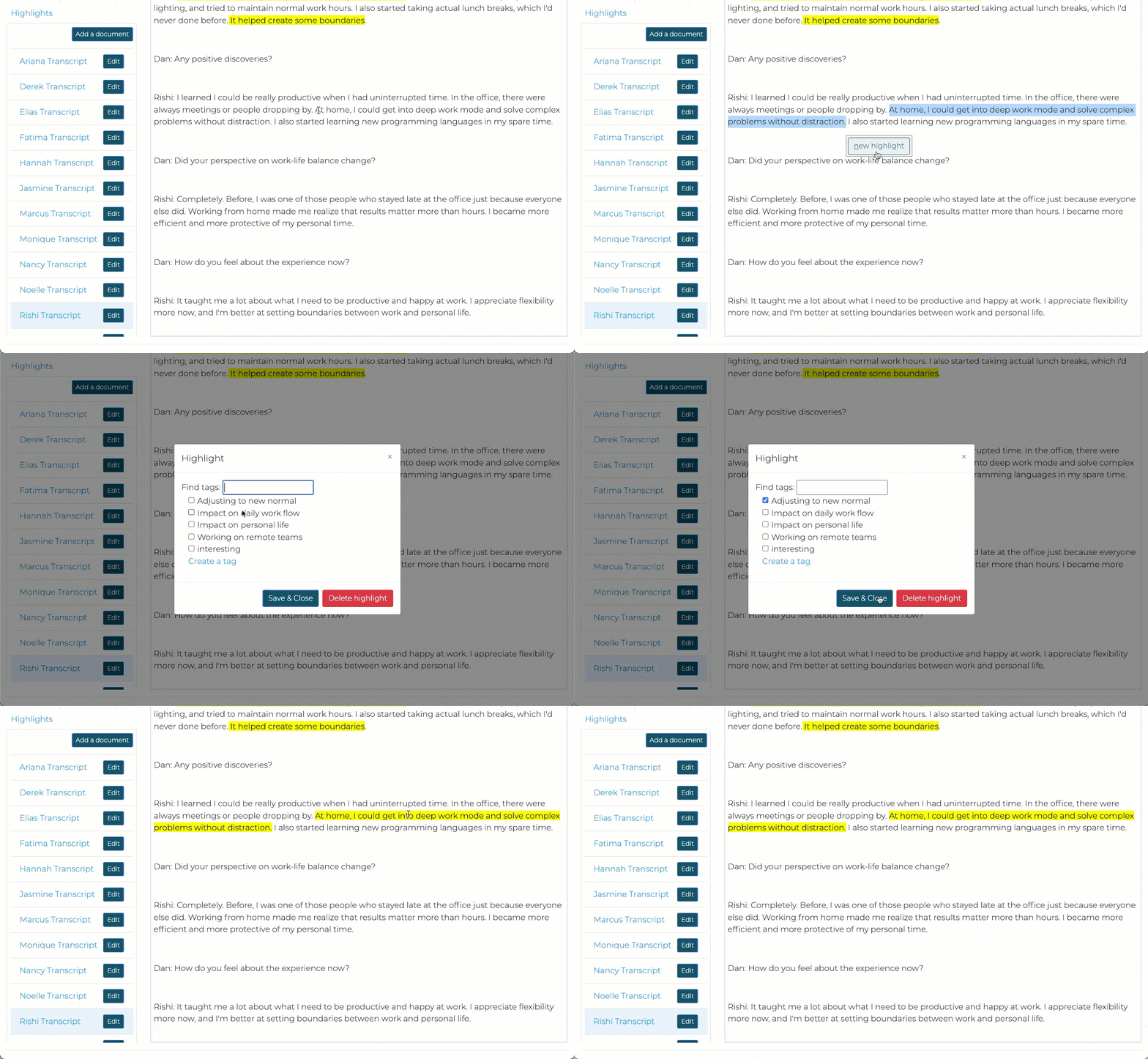
You can add notes to document your thinking, but memos are limited to simple text fields inside each code’s description. You can’t separate them, and there’s no structured way to track how ideas relate or how your framework changes. You have to click through each code to track notes.
You can click a tag, and see all the quotes. But without search features, checking if a theme appears across your transcripts turns into manual work. Most tools offer a universal search feature to let you scan every excerpt at once. Not Taguette.
-
Best for: Quick projects with stable themes and minimal reorganization.
-
Price: Free and open source.
Dedoose
Not built for theme-building
Dedoose is built for mixed-methods work, but still beats NVivo or ATLAS.ti for thematic analysis. The coding tree is always visible and you can drag and drop codes to test clusters. But users say the “homepage is overwhelming” with too many distractions.
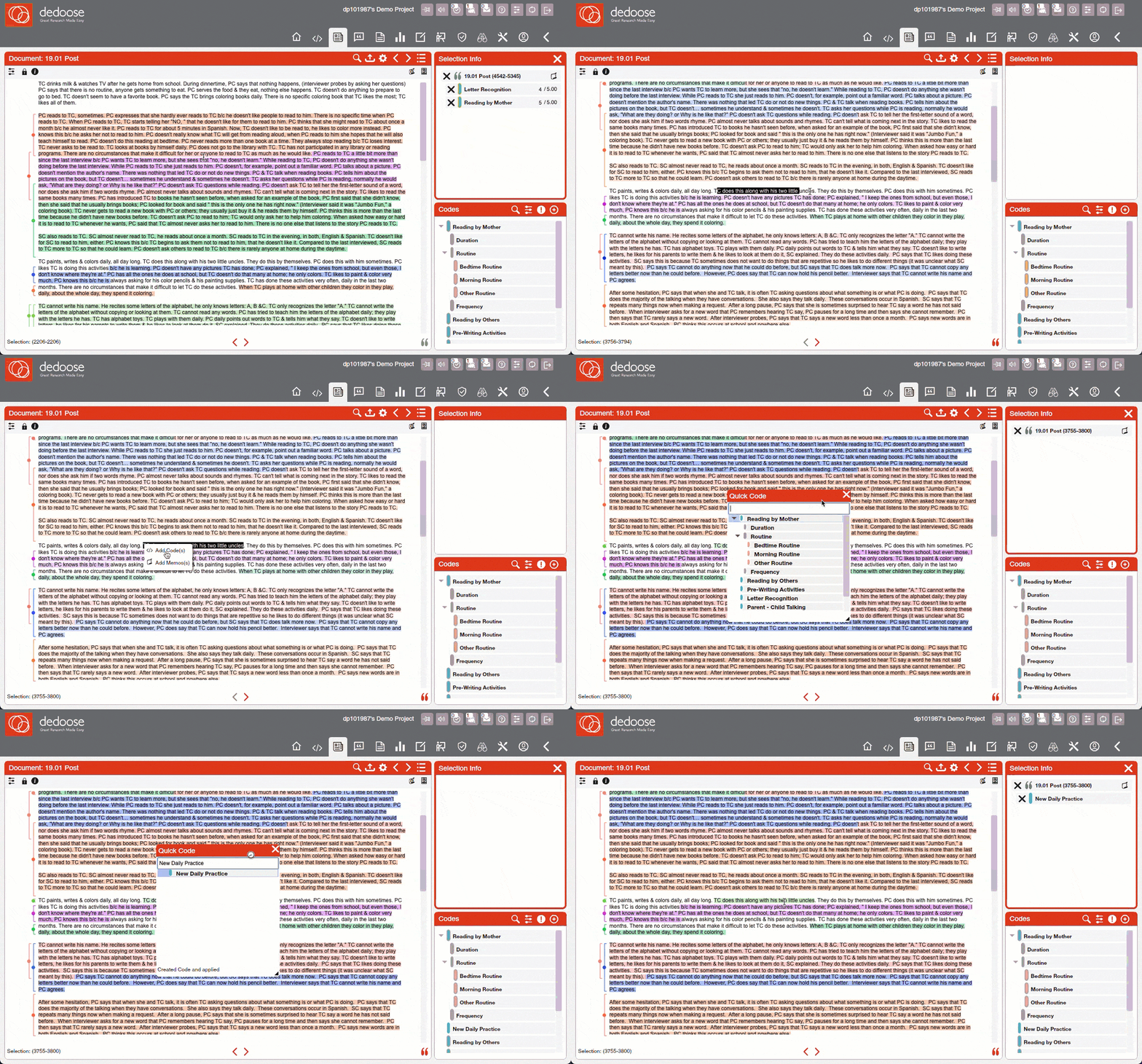
Code co-occurrence charts help you spot patterns and find redundant codes, which helps spot possible themes. Memos let you document your reasoning. But the interface buries these features in dashboards and visualizations that make basic tasks harder than they need to be.
Checking your coded excerpts requires clicking through multiple features to trace to the source. Another reviewer mentioned the “steep learning curve” and too much clicking to “find basic features.” When you need to verify whether codes should merge or split, you’re dealing with dashboards instead of your data.
-
Best for: Researchers comfortable with complex interfaces and steep learning curves.
-
Price: Subscriptions start at $12.95/month for individuals.
Read Dedoose reviews on G2 | Read Dedoose reviews on Capterra
Why Delve wins for thematic analysis
Most qualitative coding platforms make thematic analysis harder than it should be. You can’t find the memos you wrote. You’re opening window after window to check if a theme shows up across interviews. Merging two codes takes five clicks through menus. But not with Delve.
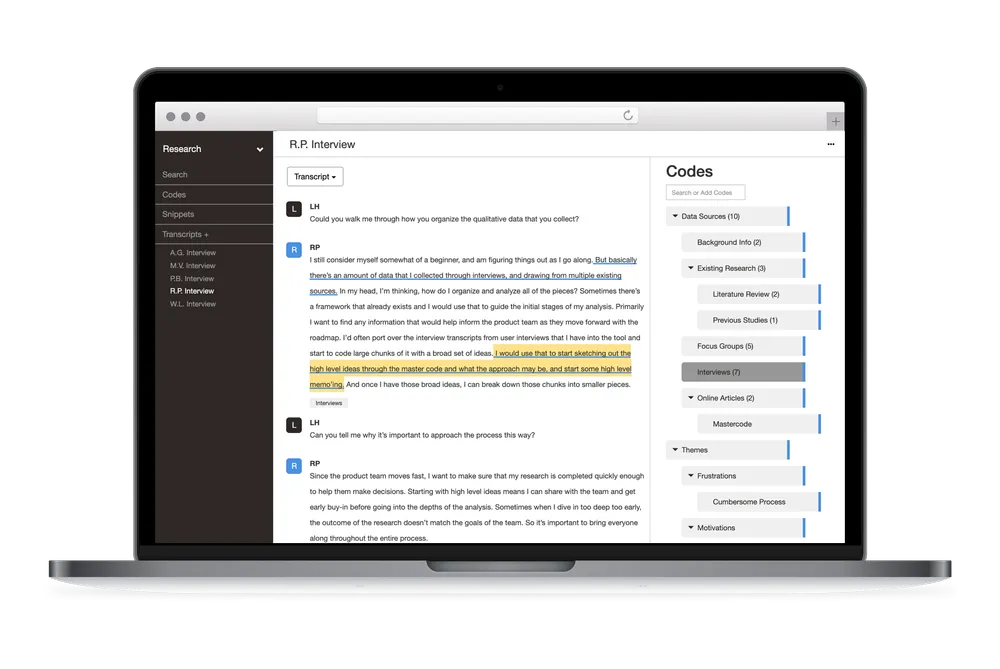
Delve removes that friction. Reorganize codes in two clicks. Your reflexive notes sit right next to your codes. Check themes across all transcripts without opening new windows. Whether you’re doing reflexive thematic analysis or collaborative coding, you get software that’s built for this work.
Trusted for real thematic analysis
“We were able to easily collaborate and facilitate our thematic analysis process without a steep learning curve and at a very reasonable price.” – Nate S., Research Associate
“Delve is very easy to learn and use individually or as a team. Using Delve has shortened our time to process text for coding and organizing for presentations.” – Maria V., Senior Program Officer
“Delve was my first software for analyzing qualitative data from transcripts of field research interviews, and I am glad I chose it while on a tight schedule to complete my dissertation. The in-depth training course provided by Delve enabled me to quickly apply various coding options and find themes.” – Halida D., Assistant Professor
Hear from more users who use Delve for thematic analysis.
Ready to start your free 14-day trial?
No credit card required. Cancel anytime.
Related Resources
Software Comparisons:
Head-to-Head Comparisons:
Methodology Guides: